Support our educational content for free when you purchase through links on our site. Learn more
What Are the Key Features to Look for in a Canon Camera? 📸

The key features to look for when buying a Canon camera are autofocus that suits your subjects, a comfortable body, the right sensor and video capabilities, and lenses that fit your plans. Start with what you photograph most; then choose a camera and lens system that makes those pictures easier to capture.
We’ve seen photographers bring a smaller, simpler camera on a long day out and come home with more keepers than they got with a heavier kit left in the bag. Specs matter, but handling, autofocus, lens compatibility, and the camera’s role in your everyday photography matter just as much.
Key Takeaways
- Match the camera to your subjects: portraits, wildlife, travel, and video call for different strengths.
- Prioritize autofocus, handling, and lens choice over megapixel count alone.
- Compare APS-C and full-frame sensors based on size, low-light needs, and budget for the complete system.
- Check the lens mount: Canon EOS R cameras use RF lenses; many EF and EF-S lenses can be adapted with the right setup.
- Look beyond headline specs: verify burst buffer, video limits, stabilization, battery life, card slots, and screen controls.
- Try the camera in your hands and budget for lenses, batteries, memory cards, and storage—not only the camera body.
Table of Contents
- ⚡ Quick Tips and Facts
- 📚 Canon Camera Background: EOS, RF, and EF Explained
- 🔎 Key Canon Camera Features to Compare
- 1. Sensor Size and Image Quality
- 2. Resolution and Megapixels
- 3. Autofocus, Eye Detection, and Subject Tracking
- 4. Burst Speed and Buffer Depth
- 5. Video Resolution, Frame Rates, and Recording Limits
- 6. In-Body Image Stabilization and Lens Stabilization
- 7. Viewfinder, Screen, and Touch Controls
- 8. Lens Mount, Compatibility, and Future Upgrades
- 9. Battery Life, Memory Cards, and Connectivity
- 10. Build Quality, Weather Sealing, and Ergonomics
- 📷 Canon Camera Types: DSLR, Mirrorless, and Compact
- 🎯 Choose a Canon Camera for Your Photography Style
- Portraits and Weddings
- Wildlife and Sports
- Travel, Street, and Everyday Photography
- Landscape and Astrophotography
- YouTube, Vlogging, and Hybrid Photo-Video
- 🧩 Canon RF, RF-S, EF, and EF-S Lenses: What Fits?
- 💡 New vs. Used Canon Cameras: How to Verify a Camera Before Buying
- 🛒 Canon Camera Buying Checklist and Common Mistakes
- 🔧 Accessories and Ongoing Costs to Plan For
- ✅ Conclusion
- 🔗 Recommended Links
- ❓ FAQ
- 📖 Reference Links
⚡ Quick Tips and Facts
The best Canon camera isn’t automatically the newest, priciest, or most megapixel-packed body. It’s the one you’ll enjoy carrying and that suits what you photograph. In our Canon camera guide, we start with the same practical question we ask on a shoot: what do you want to capture?
| If you mainly photograph… | Prioritize… | Keep in mind |
|---|---|---|
| Family, travel, everyday life | Comfortable grip, dependable autofocus, light weight | A camera left at home takes no pictures |
| Sports, wildlife, pets | Subject tracking, burst speed, buffer depth | Frames per second matter only if focus and buffer keep up |
| Portraits | Eye detection, lens selection, subject separation | A bright lens can matter more than extra megapixels |
| Landscapes | Resolution, dynamic range, viewfinder or screen usability | A tripod and good technique often matter more than headline specs |
| Video and vlogging | 4K options, autofocus, screen articulation, microphone input | Check recording limits, crop, and overheating behavior |
| Low light | Larger sensor, bright lens, stabilization | Stabilization reduces camera shake, not subject movement |
Quick facts:
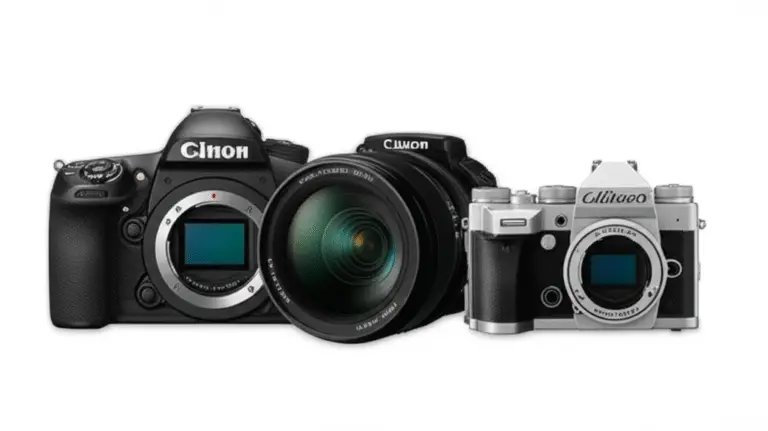
- Canon’s EOS R system is mirrorless and uses the RF mount; Canon DSLRs commonly use EF or EF-S lenses.
- A 24–32 MP camera is plenty for many everyday uses, prints, and moderate cropping. Resolution isn’t the whole image-quality story.
- APS-C cameras are typically smaller and give lenses a narrower field of view than full-frame cameras. Full frame can offer advantages in low light and depth-of-field control, but it isn’t a compulsory upgrade.
- RF cameras can use many EF and EF-S lenses via a compatible Canon mount adapter, though the crop factor and supported camera functions vary by body and lens. Check Canon’s lens compatibility information.
- An inexpensive kit lens is useful for learning. As one competing buying guide puts it, “The lens is often more important than the camera body.” That’s a useful reminder, not a law: a better lens cannot fix missed focus or poor handling.
- ✅ Try a camera in your hands if possible. ❌ Don’t buy by megapixel count alone.
We once handed a photographer a smaller camera after a long event. Their shoulders relaxed; the camera came out more often; the candid frames improved. That’s not a sensor test, but it’s a powerful buying clue. Next, we’ll untangle the Canon system names that can make a simple lens purchase feel like a pop quiz.
📚 Canon Camera Background: EOS, RF, and EF Explained

Canon’s EOS name covers its interchangeable-lens camera systems. The most important distinction when you’re shopping is the lens mount: newer EOS R mirrorless cameras use RF, while Canon DSLR bodies use EF or EF-S mounts. Canon’s official EOS R system overview and lens compatibility guide are useful checks before you buy.
| Name | Usually found on | What to know |
|---|---|---|
| RF | EOS R mirrorless cameras | Native mount for Canon’s RF and RF-S lenses |
| RF-S | APS-C EOS R mirrorless cameras and lenses | Designed for APS-C; check compatibility when pairing with full-frame bodies |
| EF | Canon full-frame and APS-C DSLRs; some cinema cameras | Can often be adapted to EOS R bodies using a compatible adapter |
| EF-S | Canon APS-C DSLRs | Designed for APS-C DSLR bodies; compatibility on mirrorless depends on adapter and camera |
Canon’s mirrorless RF mount is not a renamed EF mount. It is a different physical mount, so an EF lens won’t attach directly to an RF camera. A compatible adapter can bridge many EF lenses to EOS R bodies, but always check the exact camera, lens, and adapter combination.
DSLR or mirrorless: which Canon system fits?
- Mirrorless: Electronic viewfinder, live sensor readout, and a growing RF lens system. Many newer Canon autofocus and video features are found here.
- DSLR: Optical viewfinder, familiar controls for many photographers, and a large used EF/EF-S lens market. Older models can be compelling if you find a clean body and compatible lenses.
- Compact cameras: Fixed lenses and simpler carry. These can suit travelers who don’t want to swap lenses, but you give up interchangeable-lens flexibility.
The broader Camera Brands and Camera Buying Guide sections can help you compare whole systems, not just individual bodies.
🔎 Key Canon Camera Features to Compare
Specs are most useful when you connect them to a real photograph. We compare them in the order they tend to affect the experience: image quality, focus, speed, video, stabilization, handling, and system costs.
1. Sensor Size and Image Quality
Canon interchangeable-lens cameras commonly use APS-C or full-frame sensors. A larger sensor can collect more light for a given exposure and, with comparable framing and lens choices, make it easier to create shallow depth of field. But the result also depends on lens aperture, exposure, focus, and how large you view or print the image.
| Sensor format | Practical strengths | Trade-offs |
|---|---|---|
| APS-C | Often smaller, lighter, and more affordable; useful reach for wildlife and sports framing | Usually less control over shallow depth of field than comparable full-frame setups |
| Full frame | More room for high-resolution sensors and often stronger low-light performance at equivalent output | Bodies and lenses can be larger and heavier; higher system cost |
| Compact-camera sensor | Small, convenient all-in-one package | Less flexibility and typically less low-light latitude than larger interchangeable-lens systems |
A full-frame body is not a shortcut to better photographs. We’ve seen APS-C cameras make excellent portraits and travel images when paired with a good lens and thoughtful light. If you shoot dim interiors or want a very blurred background, full frame may help—but a bright lens and steady technique can change the equation.
For a deeper look at system differences, browse our camera comparisons.
2. Resolution and Megapixels
Megapixels describe image dimensions, not overall image quality. More pixels can help with large prints and cropping, but they also create larger files and make focus, lens quality, and camera shake more visible when you inspect images closely.
A sensible starting point: around 24 MP is enough for many people’s travel, family, portrait, and social-media photographs. Higher resolution becomes more valuable if you crop heavily, make large prints, or need extra flexibility for commercial work.
Before choosing a higher-resolution body, ask:
- Do you print large, or crop far into the frame?
- Can your computer, storage, and backup setup handle bigger files?
- Are your lenses sharp enough for the extra detail to matter?
- Would better autofocus or a more useful lens improve your keeper rate more?
A 45 MP file that misses the eye is still a missed shot. Annoying, but beautifully detailed.
3. Autofocus, Eye Detection, and Subject Tracking
Canon’s Dual Pixel CMOS AF technology appears across many EOS cameras, but autofocus performance varies by model, lens, shooting mode, and subject. Newer EOS R cameras may offer subject recognition for people, animals, or vehicles; confirm the specific camera’s supported subjects and settings on its official product page.
Look for:
- Eye detection for portraits, people, and pets.
- Subject tracking that can keep a moving subject in focus.
- AF coverage across the frame, useful when your subject isn’t centered.
- Low-light autofocus capability if you often shoot indoors or at dusk.
- Touch AF if you prefer selecting focus with the screen.
For action, test autofocus in the mode you’ll actually use. A camera may advertise subject detection, but the real question is whether it follows your subject reliably. Photograph a child running toward you, a dog changing direction, or birds taking off. A slow, cooperative subject is a polite test, not a realistic one.
4. Burst Speed and Buffer Depth
Frames per second (fps) tells you how many frames a camera can shoot in a burst under specified conditions. It doesn’t tell you how long that burst lasts before the buffer fills, or whether autofocus and exposure remain consistent.
| Action-shooting feature | Why it matters |
|---|---|
| Maximum burst rate | Helps capture a precise moment in fast action |
| Buffer depth | Determines how long you can keep shooting before the camera slows |
| Continuous autofocus | Helps maintain focus as subjects move |
| Card speed and type | Can affect how quickly the camera clears its buffer |
| Silent shutter behavior | Can be quiet, but may introduce distortion with fast movement on some models |
For a toddler’s first goal, a moderate burst rate may be plenty. For field sports or wildlife, a higher rate and deeper buffer are more useful. Check the manufacturer’s burst specifications for the relevant shutter mode and card type; the headline maximum may not apply in every setup.
5. Video Resolution, Frame Rates, and Recording Limits
“4K” is only the beginning of the video checklist. Check the camera’s available frame rates, whether footage is cropped, autofocus behavior, audio connections, heat management, and recording limits.
- 4K at 24 or 30 fps: a common choice for polished standard-speed footage.
- 4K at 50 or 60 fps: useful for smoother motion or modest slow motion, if the camera supports it.
- 1080p: can offer smaller files and higher frame rates on some cameras.
- Microphone input: useful for improving spoken audio with an external microphone.
- Headphone monitoring: helpful when you need to check audio as you record.
- Vari-angle screen: practical for vlogging, self-recording, and high- or low-angle shots.
Canon’s official camera specifications are the best place to verify recording modes. For example, compare the feature pages for the EOS R50 and EOS R6 Mark II, rather than assuming every Canon body handles video the same way.
Our field tip: record a clip for longer than a quick test. Check whether the camera gets warm, whether focus hunts, whether the screen is easy to see outside, and whether your chosen settings create files your computer can edit.
6. In-Body Image Stabilization and Lens Stabilization
Image stabilization helps counter camera movement during handheld shooting. It does not freeze a person running, a waging tail, or leaves shaking in the wind. For moving subjects, shutter speed still matters.
Canon uses lens-based Optical Image Stabilizer (IS) in many lenses; some camera bodies also have in-body image stabilization (IBIS). Compatible systems can coordinate, but performance depends on the body, lens, focal length, and shooting conditions. Canon explains lens stabilization in its IS technology overview.
- ✅ Helpful for handheld still subjects, video, and slower shutter speeds.
- ✅ Particularly valuable with telephoto lenses.
- ❌ Not a substitute for a tripod during long exposures.
- ❌ Not a fix for subject motion blur.
If you mainly shoot sports, prioritize autofocus and fast shutter capability alongside stabilization. If you photograph architecture, travel, or video, stabilization may earn more of your attention.
7. Viewfinder, Screen, and Touch Controls
An electronic viewfinder (EVF) shows a live preview of exposure and color, while an optical viewfinder (OVF) in a DSLR gives a direct optical view through the lens. Neither is automatically better for everyone.
A fully articulating screen is useful for:
- Self-recording and vlogging.
- High- and low-angle photography.
- Shooting around crowds or obstacles.
- Reviewing images without putting your eye to a viewfinder.
Before buying, check that the display is bright enough for your usual conditions, the menu is understandable, and buttons fall naturally under your fingers. A camera can have every modern feature and still frustrate you if changing ISO feels like defusing a tiny bomb.
8. Lens Mount, Compatibility, and Future Upgrades
The mount affects which lenses you can use directly and what your upgrade path looks like. Canon’s mount and lens compatibility guide should be your reference before buying lenses, particularly used ones.
For EOS R buyers:
- RF and RF-S lenses are native to the RF mount.
- Many EF and EF-S lenses can be adapted with a compatible Canon adapter.
- Adapted EF lenses can be a practical way to reuse DSLR glass.
- Check camera-specific crop behavior and lens support before assuming an EF-S lens will behave like a full-frame lens.
For DSLR buyers:
- EF lenses work on Canon EF-mount DSLRs.
- EF-S lenses are for compatible APS-C DSLRs, not Canon full-frame DSLR bodies.
- A DSLR lens collection may offer strong used options, but consider whether you want to invest in a system Canon continues to expand.
Canon’s mount choice can affect the total cost more than the camera body alone. We recommend budgeting for the lens you genuinely need before stretching for a higher-tier body.
9. Battery Life, Memory Cards, and Connectivity
A camera’s battery and card setup can determine whether a day out feels smooth or like a scavenger hunt.
Check the official specifications for:
- Battery model and rated shots per charge. Ratings are standardized estimates; actual results change with video, screen use, temperature, and wireless connections.
- Memory-card format and slot count. Some models support SD cards; higher-end bodies may use different card types or dual slots.
- Wi‑Fi and Bluetooth. Useful for transferring images, remote control, or geotaging through a phone app.
- USB charging or power delivery. Convenient for travel, but check whether the camera can charge while operating.
- Dual-card recording. Valuable for backup or separating stills and video, if the camera supports your preferred workflow.
For important events, dual slots can provide an in-camera backup, but they don’t replace a proper backup routine. Copy files to at least two separate storage locations once you’re home.
10. Build Quality, Weather Sealing, and Ergonomics
A camera’s build is more than its outer shell. Grip depth, button placement, weight, control layout, and balance with your lens all affect how it feels after several hours.
- Magnesium alloy is common in some higher-end bodies and can provide a sturdy feel.
- Composite materials help keep many cameras lighter.
- Weather resistance varies by model and does not make a camera waterproof.
- Ergonomics are personal: hand size, shooting style, and lens weight change the fit.
If you shoot outdoors, think about your entire kit. A weather-resistant body paired with a non-weather-resistant lens is not a rainproof setup. Use protection in bad conditions and follow Canon’s care guidance for your specific model.
📷 Canon Camera Types: DSLR, Mirrorless, and Compact
| Type | Best for | Advantages | Limitations |
|---|---|---|---|
| Mirrorless | Hybrid stills and video, compact systems, newer features | Electronic preview, modern autofocus options, growing RF lens range | EVF and screen use can consume battery; body and lens choices vary |
| DSLR | Optical-viewfinder fans, used-system shoppers, existing EF lens owners | Direct optical view, large EF/EF-S lens market, often strong battery life | Typically bulkier; newer Canon development is focused on mirrorless |
| Compact | Casual travel and pocketable convenience | Fixed, ready-to-use package; no lens changes | Less lens flexibility and usually a smaller sensor |
Canon’s EOS R range includes both APS-C and full-frame mirrorless models. DSLRs such as the EOS Rebel family remain available through used markets, but check age, support, and the condition of both body and lenses. For current Canon product information, start with the Canon camera range.
A DSLR can still be the right choice if you already own EF lenses or want an optical viewfinder. Mirrorless is usually the more straightforward path for a new Canon system buyer who wants access to current RF lenses and newer features. The “best” format is the one that fits your workflow, not the one winning a spec-sheet argument.
🎯 Choose a Canon Camera for Your Photography Style
Portraits and Weddings
Prioritize reliable eye detection, responsive autofocus, dual card slots for professional backup when available, and lenses that suit your subjects. A fast prime lens can make a bigger difference to background blur and indoor shooting than moving from one body tier to another.
For weddings, consider battery strategy, silent-shutter behavior, card redundancy, and low-light autofocus. Silent electronic shutters can be useful in quiet ceremonies, but rolling-shutter effects or banding can appear under some lighting or with fast movement. Test before relying on a mode for a once-only moment.
Wildlife and Sports
Look for:
- Strong continuous autofocus and subject tracking.
- A high burst rate paired with a useful buffer.
- A telephoto lens you can comfortably carry.
- Controls that remain accessible while tracking a subject.
- A compatible fast memory card.
APS-C can be appealing when you want a narrower field of view with a given lens. But don’t confuse crop factor with extra optical magnification: the lens does not physically become longer. For wildlife, subject distance, lens reach, autofocus, and technique all matter.
Travel, Street, and Everyday Photography
For travel, size and weight are features. A lighter camera with a versatile zoom may serve you better than a large body and several lenses you leave in the hotel.
Look for:
- A grip and controls you can operate quickly.
- A screen or viewfinder that works in bright conditions.
- Reliable autofocus for spontaneous moments.
- Battery and card availability where you’re traveling.
- A lens range that covers your usual scenes.
One of our photographers learned this on a weekend trip: the technically stronger setup stayed in the bag during a long hike, while the smaller camera came out for the moments that mattered. That’s the clue we promised: the best camera is often the one you actually bring.
Landscape and Astrophotography
Prioritize resolution only if you need large prints or substantial cropping. Also consider:
- Dynamic range for bright skies and shadowed foregrounds.
- A bright, wide-angle lens for night skies.
- Long-exposure controls and a stable tripod.
- Manual focus aids and screen visibility.
- Battery performance in cold conditions.
For astrophotography, stabilization does not replace a tripod. Turn off lens or body stabilization when using a tripod if the camera or lens instructions recommend it, and use a remote release or timer to reduce vibration.
YouTube, Vlogging, and Hybrid Photo-Video
A vari-angle screen, dependable face and eye autofocus, clean audio connections, and suitable recording modes are useful starting points. Also examine the camera’s crop in 4K, recording duration, heat behavior, USB power options, and file formats.
A compact model such as the Canon EOS R50 may suit a creator who wants an approachable hybrid camera; a more advanced body such as the EOS R6 Mark II serves a different set of demands. Compare official specifications rather than assuming a more expensive body is automatically better for your channel.
For more practical gear advice, visit our Camera Guides and Camera Features sections.
🧩 Canon RF, RF-S, EF, and EF-S Lenses: What Fits?
| Lens type | Native fit | Notes |
|---|---|---|
| RF | Canon EOS R mirrorless | Native RF mount lens |
| RF-S | Canon APS-C EOS R bodies | Designed for APS-C; check full-frame body behavior |
| EF | Canon EF-mount DSLRs; many EOS R bodies with adapter | Broad lens range; confirm adapter compatibility |
| EF-S | Compatible Canon APS-C DSLRs; selected EOS R setups with adapter | APS-C format; check body and adapter requirements |
Pick a lens by subject, not by marketing name
- Standard zoom: Flexible for family, travel, and everyday scenes.
- Wide-angle lens: Useful for landscapes, architecture, interiors, and environmental portraits.
- Telephoto zoom: Helps frame distant wildlife, sports, and candid moments.
- Prime lens: Fixed focal length; often bright and compact, a strong portrait or low-light option.
- Macro lens: Designed for close-up detail, from flowers to product photography.
Canon’s lens compatibility guide is the safest starting point for mount questions. When shopping used, inspect the glass for scratches, fungus, haze, and decentering; check autofocus and stabilization; and test the lens on the body you plan to use.
A useful buying order: choose the camera system, identify the lens you need, then decide how much body you can comfortably afford. A capable lens on a midrange camera often produces a better real-world improvement than a body upgrade paired with glass that doesn’t suit your photography.
💡 New vs. Used Canon Cameras: How to Verify a Camera Before Buying
A used Canon camera can be a smart way to access a better lens or body, but check it as carefully as you’d check a used car. The summary of the first YouTube video’s advice is practical: “Ask basic questions” and test the camera thoroughly. See the featured video for that used-camera perspective.
Step-by-step used-camera inspection
- Ask about its history. When was it bought? Has it been dropped, exposed to heavy rain, repaired, or rented out? Is a receipt original packaging available?
- Check the age and warranty. Confirm the model’s release generation, remaining warranty if any, and local service options. A serial number can help you check product identity, but don’t assume a public search will reveal a complete service history.
- Inspect the body. Look closely at the lens mount, hot shoe, battery door, ports, screen, viewfinder, tripod socket, and seams. Dents near the mount deserve extra attention.
- Test the controls. Try dials, buttons, touchscreen, flash, autofocus modes, playback, and menu navigation.
- Take test images. Photograph a detailed scene at several apertures and shutter speeds. Inspect images for sensor spots, repeated artifacts, uneven focus, and unusual color bands.
- Record a longer video clip. Check autofocus, sound, card recording, ports, and whether the camera overheats or interrupts recording under your test conditions.
- Check the shutter count carefully. It can indicate use, but it is not a complete condition report. Availability and reliability of shutter-count information vary by model and software.
- Verify the card format. Confirm the camera accepts the memory cards you own or intend to use.
- Check the firmware version. Compare it with Canon’s official support page for that exact model. Update only by following Canon’s instructions and ensuring the battery is charged; firmware is useful, but an update is not a substitute for testing a faulty camera.
- Test every included lens and accessory. A bargain body can become a bad deal if the lens, battery, charger, or mount is damaged.
The video summary warns that firmware updates can sometimes cause issues, while encouraging buyers to keep firmware current. The balanced approach: verify the installed version, read Canon’s release notes, and update carefully when there’s a relevant fix or feature. Don’t update a camera on a nearly empty battery or just before an important shoot.
For extra perspective, one buying guide recommends trying a camera in person because “A camera that feels good in your hands encourages you to take more pictures.” That advice applies to used gear too: make sure the controls, grip, and viewfinder suit you before committing.
🛒 Canon Camera Buying Checklist and Common Mistakes
Use this step-by-step shortlist
- Write down your main subjects. Pick the three things you photograph most, not the one dream trip you might take someday.
- Choose a format. Decide whether you want a compact camera, DSLR, APS-C mirrorless, or full-frame mirrorless system.
- Choose your lens before stretching the body budget. A camera body and lens are a working pair.
- Set your must-have features. For example: eye detection, a vari-angle screen, IBIS, dual card slots, or a microphone input.
- Check the lens mount and upgrade path. Verify compatibility through Canon’s lens guide.
- Handle the camera. Check grip comfort, control placement, viewfinder visibility, and menu logic.
- Review the entire system cost. Include lenses, batteries, memory cards, a bag, and storage—not just the body.
- Test the actual shooting workflow. If possible, try focus tracking, video recording, wireless transfer, and card access.
- Check support and service. Confirm Canon support in your region and availability of batteries and repairs.
- Buy for the pictures you make now, with room for reasonable growth. Future-proofing is useful; buying features you never use is an expensive hobby.
Common mistakes to avoid
- ❌ Choosing only by megapixels.
- ❌ Assuming full frame is always better for every photographer.
- ❌ Buying a body before checking the lens mount.
- ❌ Treating maximum fps as a guarantee of long action bursts.
- ❌ Assuming image stabilization freezes moving subjects.
- ❌ Buying a weather-resistant body and treating the whole kit as waterproof.
- ❌ Overlooking batteries, card slots, file sizes, and backup needs.
- ❌ Buying a camera that feels awkward because a reviewer liked it.
For more comparisons across camera systems and features, explore our Camera Comparisons and Camera Buying Guide.
🔧 Accessories and Ongoing Costs to Plan For
The body is only the beginning. A practical setup may include:
- A lens suited to your subjects. This is usually the most important add-on.
- At least one spare battery for long days, cold weather, or video.
- Compatible memory cards that meet the camera’s speed and capacity requirements.
- A camera strap or comfortable bag that suits the way you travel.
- A lens cloth and blower for basic cleaning; avoid touching the sensor.
- A tripod for long exposures, landscapes, product work, or locked-off video.
- A microphone for spoken video, if the camera supports an external input.
- Storage and backup drives for protecting your images.
Check the camera’s official support page for supported batteries, card types, charging, and recommended care. A spare battery is not glamorous, but neither is a camera that dies just as your kid finally looks at the lens.