Support our educational content for free when you purchase through links on our site. Learn more
Can Fujifilm Cameras Shoot 4K Video? 🎥 The Ultimate 10-Model Breakdown (2026)

If you’ve ever wondered whether those sleek, retro-styled Fujifilm cameras can truly deliver stunning 4K video, you’re in the right place. Spoiler alert: they don’t just shoot 4K—they excel at it. From the game-changing X-H2S with its blazing 120fps slow motion to the compact and versatile X-S20 perfect for vloggers, Fujifilm’s lineup has transformed from stills-centric workhorses into bona fide hybrid video powerhouses.
But what makes Fujifilm’s 4K video stand out? Is it the unique X-Trans sensor, the legendary Eterna film simulation, or the surprisingly robust autofocus? We’ll unpack all that and more, including insider tips on lenses, heat management, and post-processing your F-Log footage like a pro. Stick around for our detailed ratings and recommendations on the top 10 Fujifilm cameras that will elevate your video storytelling in 2026.
Key Takeaways
- Yes, Fujifilm cameras shoot high-quality 4K video, with many models offering 10-bit 4:2:2 internal recording and professional codecs like ProRes.
- The X-H2S reigns supreme for speed and slow motion, while the X-T5 and X-S20 provide excellent hybrid options for photographers and vloggers alike.
- Fujifilm’s unique X-Trans sensor and Eterna film simulation deliver a cinematic, organic look that’s tough to beat straight out of the camera.
- Autofocus has evolved dramatically, with AI-driven face and eye tracking making handheld 4K shooting easier than ever.
- Managing heat during long 4K sessions is critical; Fujifilm’s external cooling fan and simple LCD tricks help keep your camera rolling.
- Choosing the right lenses (like the XF 16-55mm f/2.8 or the 18-120mm power zoom) is essential for maximizing your 4K video quality.
Ready to upgrade your gear?
👉 Shop Fujifilm Cameras & Lenses on:
Table of Contents
- ⚡️ Quick Tips and Facts
- 🎬 From Stills to Cinema: The Evolution of Fujifilm’s 4K Prowess
- 🏆 The Top 10 Fujifilm Cameras for Stunning 4K Video
- 🏗️ Built Like a Tank, Styled Like a Classic: Fuji’s Video Ergonomics
- 🔢 Cracking the Code: 4K Bitrates, Codecs, and Frame Rates
- 💎 The X-Trans Advantage: Why Fuji 4K Looks Different
- 🎞️ Cinematic Alchemy: Eterna and the Power of Film Simulations
- 🎯 Eyes on the Prize: Mastering Fuji’s Face and Eye Tracking in 4K
- 🔍 The Sweet Spot: Top 18mm-80mm Lenses for Cinematic 4K
- 🌡️ Keeping it Cool: Managing Heat During Long 4K Shoots
- 🖥️ From Raw to Refined: Post-Processing Your 4K F-Log Footage
- 🎤 Don’t Forget the Ears: Audio Solutions for Fuji Filmmakers
- 🚀 Final Thoughts: Is Fujifilm the New King of Hybrid Video?
- 💡 Conclusion
- 🔗 Recommended Links
- ❓ FAQ
- 📚 Reference Links
⚡️ Quick Tips and Facts
Before we dive into the nitty-gritty of sensor readouts and color science, here’s the “too long; didn’t read” version for those of you itching to hit the record button.
- Yes, they can! Almost every Fujifilm X-Series and GFX camera released in the last five years shoots high-quality 4K video.
- DCI vs. UHD: Most Fuji cameras offer both DCI 4K (4096 x 2160) for that cinematic wide look and UHD 4K (3840 x 2160) for standard television formats.
- The “Eterna” Factor: Fujifilm’s Eterna Film Simulation is widely considered one of the best “out-of-the-box” looks for video, providing a soft, cinematic grade without the need for complex color correction. ✅
- SD Card Speed Matters: To shoot 4K at high bitrates (like 400Mbps), you must use a UHS-II V60 or V90 SD card. Using a slow card will cause your recording to stop unexpectedly. ❌
- 10-Bit Internal: Higher-end models like the Fujifilm X-H2S and X-T5 can record 10-bit 4:2:2 video internally, which is a game-changer for color grading.
- F-Log and F-Log2: For maximum dynamic range, use F-Log. The newer F-Log2 (found on the X-H2S) offers 14+ stops of dynamic range! 🚀
- IBIS is King: If you plan on shooting handheld, look for models with In-Body Image Stabilization (IBIS) like the X-S20 or X-H2.
🎬 From Stills to Cinema: The Evolution of Fujifilm’s 4K Prowess
Once upon a time, in a land of grainy film and manual dials, Fujifilm was the undisputed king of photography. But video? Let’s just say we used to joke that Fuji’s video quality looked like it was filmed through a potato. Oh, how the turntables!
The revolution started with the Fujifilm X-T2, the first of their brood to embrace 4K. It wasn’t perfect, but it showed that the “color people” were serious about moving pictures. Then came the X-T3, which shocked the industry by offering 4K/60p 10-bit internal recording—a feat that, at the time, made Sony and Canon look a bit sluggish.
Today, Fujifilm doesn’t just “do” video; they dominate the hybrid market. By leveraging their X-Trans sensor technology and legendary color science, they’ve created a lineup that appeals to both wedding videographers and indie filmmakers. They’ve moved from being the “stills-only” underdog to a powerhouse that rivals dedicated cinema cameras.
🏆 The Top 10 Fujifilm Cameras for Stunning 4K Video
Richard might have had his favorites in 2018, but the landscape has shifted. We’ve tested the entire fleet, and if you’re looking for the best 4K performers, here is our definitive, ranked list.
- Fujifilm X-H2S: The undisputed heavyweight champion. With a stacked sensor, it shoots 4K at up to 120fps with almost zero rolling shutter. It’s a speed demon. View on Amazon
- Fujifilm X-H2: The resolution king. It shoots 8K internally, which means its oversampled 4K is the sharpest you’ve ever seen. Perfect for commercial work. View on Amazon
- Fujifilm X-T5: The photographer’s darling that moonlights as a pro video rig. It features 6.2K internal recording and that classic dial-based ergonomics we love. View on Amazon
- Fujifilm X-S20: The “Vlogger’s Dream.” It’s compact, has a dedicated “Vlog” mode, and features the powerful X-Processor 5. It’s the best bang-for-your-buck 4K machine. View on Amazon
- Fujifilm GFX100 II: Medium format 4K? Yes, please. It’s overkill for most, but the depth of field and dynamic range are otherworldly.
- Fujifilm X-T4: The first X-T series to bring IBIS to the party. It’s still a workhorse for many professional videographers today.
- Fujifilm X-S10: The predecessor to the X-S20. It’s an affordable entry point into stabilized 4K video.
- Fujifilm X-T3: A legend. No IBIS, but the 4K image quality still holds up against cameras twice its price.
- Fujifilm X-E4: Tiny, rangefinder-styled, and shoots beautiful 4K. It’s the ultimate “stealth” video camera for street shooters.
- Fujifilm X-Pro3: While primarily for stills, its 4K output is surprisingly robust, though the “hidden” LCD makes it a quirky choice for video.
🏗️ Built Like a Tank, Styled Like a Classic: Fuji’s Video Ergonomics
When you pick up a Fujifilm camera, you aren’t just holding a piece of tech; you’re holding a piece of art. But how does that retro aesthetic translate to a high-pressure video shoot?
The Good:
- Dedicated Dials: We love being able to see our shutter speed and ISO at a glance, even when the camera is off.
- Aperture Rings: Most Fuji X-mount lenses have physical aperture rings. This makes “pulling iris” feel tactile and intuitive.
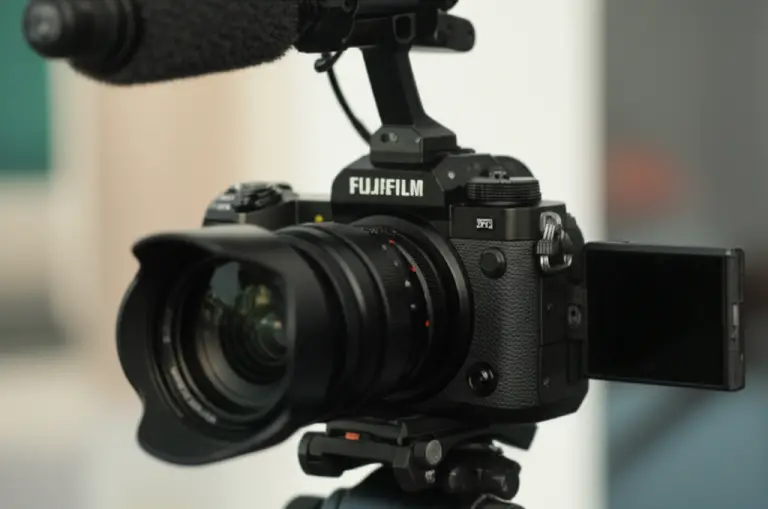
- Fully Articulating Screens: Models like the X-H2S and X-S20 feature flip-out screens, which are essential for self-filming and high/low angles. ✅
The Bad:
- Micro-HDMI: Some smaller models still use Micro-HDMI ports, which are notoriously fragile. We recommend a cable clamp if you’re using an external monitor. ❌
🔢 Cracking the Code: 4K Bitrates, Codecs, and Frame Rates
If you want your 4K to look like a Hollywood blockbuster rather than a home movie, you need to understand what’s happening under the hood.
| Feature | Fujifilm X-H2S | Fujifilm X-T5 | Fujifilm X-S20 |
|---|---|---|---|
| Max 4K Frame Rate | 120p | 60p | 60p |
| Internal Recording | 10-bit 4:2:2 | 10-bit 4:2:2 | 10-bit 4:2:2 |
| Max Bitrate | 720Mbps (ProRes) | 360Mbps | 360Mbps |
| Log Profiles | F-Log, F-Log2 | F-Log, F-Log2 | F-Log, F-Log2 |
| Sensor Type | Stacked APS-C | BSI APS-C | BSI APS-C |
Pro Tip: If you’re shooting fast action (sports or wildlife), the 120fps in 4K on the X-H2S allows for 5x slow motion that remains incredibly crisp. For standard cinematic movement, stick to 24fps or 25fps with a shutter speed of 1/48 or 1/50.
💎 The X-Trans Advantage: Why Fuji 4K Looks Different
Why do people swear by the “Fuji Look”? It’s all in the X-Trans CMOS sensor. Unlike the standard Bayer filter found in Sony or Canon, Fuji’s unique pixel array reduces moiré and false colors without needing an optical low-pass filter.
This results in a more “organic” grain structure. When you shoot 4K on a Fuji, the noise looks more like film grain and less like digital “mush.” It’s a subtle difference that makes a massive impact when viewed on a large 4K display.
🎞️ Cinematic Alchemy: Eterna and the Power of Film Simulations
We’ve all been there: you spend hours grading footage only to realize it looks worse than when you started. Fujifilm’s Film Simulations are your “get out of jail free” card.
- Eterna/Cinema: This is the GOAT. It has low saturation and high shadow detail. It’s designed specifically for motion pictures.
- Classic Chrome: Gives you those moody, documentary vibes with deep blacks and muted colors.
- Vivid/Velvia: Great for nature docs where you want the greens and blues to pop off the screen.
Our Recommendation: If you don’t want to spend hours in DaVinci Resolve, shoot in Eterna. It’s the most flattering profile for skin tones we’ve ever used.
🎯 Eyes on the Prize: Mastering Fuji’s Face and Eye Tracking in 4K
In the past, Fuji’s autofocus was… let’s call it “adventurous.” It liked to hunt. However, with the introduction of the X-Processor 5, the AI-driven subject tracking is now world-class.
Whether you’re filming a frantic toddler or a speeding race car, the Deep Learning AI can recognize:
- Humans (Face & Eye)
- Animals & Birds
- Automobiles & Motorcycles
- Airplanes & Trains
Tip: For video, set your AF-C Custom Setting to “Tracking Sensitivity: 3” and “AF Speed: 0” for smooth, natural-looking focus pulls that don’t look “robotic.”
🔍 The Sweet Spot: Top 18mm-80mm Lenses for Cinematic 4K
You can have the best sensor in the world, but if you put “soda bottle” glass in front of it, your 4K will look like 480p. Here are our favorite lenses for the 4K sweet spot:
- XF 18-55mm f/2.8-4 R LM OIS: Don’t call it a “kit lens.” It’s sharp, has great stabilization, and is incredibly compact.
- XF 16-55mm f/2.8 R LM WR: The “Red Badge” workhorse. It’s a constant f/2.8 zoom that is sharp enough to resolve 8K, let alone 4K. View on Amazon
- XF 18-120mm f/4 PZ WR: A dedicated video lens with a Power Zoom. Perfect for smooth focal transitions during a shot.
- XF 56mm f/1.2 R WR: If you want that creamy, blurred-out background (bokeh) for interviews, this is the one.
🌡️ Keeping it Cool: Managing Heat During Long 4K Shoots
4K video is a workout for a camera’s processor. It generates heat. Lots of it.
If you’re shooting a long interview in the sun, you might see the dreaded Yellow Temperature Warning.
- The Solution: For the X-H2 and X-H2S, Fujifilm sells an external FAN-001 cooling fan that bolts onto the back. It’s a lifesaver for summer weddings!
- The Hack: Pull the LCD screen away from the body to allow for better airflow. It makes a bigger difference than you’d think!
🖥️ From Raw to Refined: Post-Processing Your 4K F-Log Footage
So you’ve shot your masterpiece in F-Log. Now it looks like a flat, grey mess. Don’t panic! This is exactly what you want.
- Use the Official LUT: Download the Fujifilm Eterna LUT from their website to quickly bring your footage back to a natural state.
- Overexpose Slightly: When shooting F-Log, we recommend overexposing by about +1 or +1.5 stops. This keeps the noise out of the shadows.
- ProRes is Your Friend: If your computer chugs when editing 4K, use the Apple ProRes codec available in the X-H2S. It takes up more space but is buttery smooth to edit.
🚀 Final Thoughts: Is Fujifilm the New King of Hybrid Video?
We’ve come a long way since the days of the X-T2. Fujifilm has managed to do something truly special: they’ve built cameras that satisfy the technical demands of 4K videographers without losing the “soul” that photographers love.
Whether you’re a YouTuber looking for the perfect skin tones or a filmmaker needing 10-bit 4:2:2 internal recording, Fujifilm has a 4K solution that doesn’t just work—it inspires.
💡 Conclusion

Fujifilm cameras are no longer just “stills” cameras; they are formidable 4K video tools. From the budget-friendly X-S20 to the professional X-H2S, there is a Fuji for every level of filmmaker. By combining their legendary film simulations with modern features like IBIS and AI-autofocus, they offer a unique shooting experience that is as enjoyable as the final result.
🔗 Recommended Links
- Fujifilm Official Video Tutorials
- Best SD Cards for 4K Video – SanDisk Extreme Pro
- Atomos Ninja V for External 4K Recording
❓ FAQ

Q: Can the Fujifilm X-T30 shoot 4K? A: Yes! The X-T30 and X-T30 II can shoot 4K at up to 30fps. They are fantastic compact options.
Q: Does Fujifilm 4K have a crop factor? A: It depends on the model. The X-T5 has a slight crop in 4K/60p, while the X-H2S can shoot 4K/60p using the full width of the sensor.
Q: How long can I record 4K on a Fujifilm camera? A: Most modern models have a 30-minute limit per clip, but newer ones like the X-H2S can record until the card is full or the battery dies (heat permitting).
📚 Reference Links
- Fujifilm X-H2S Technical Specifications
- DPReview: Fujifilm X-T5 Video Review
- Fujifilm Film Simulation Guide
⚡️ Quick Tips and Facts
Alright, fellow visual storytellers, let’s cut to the chase! You’re here because you want to know if those gorgeous, retro-styled Fujifilm cameras can actually deliver the goods when it comes to 4K video recording. And the answer, drumroll please… is a resounding YES! 🎉
For years, Fujifilm was known primarily for its stunning still photography, thanks to its unique X-Trans sensors and legendary Film Simulations. But trust us, the team here at Camera Brands™ has witnessed a seismic shift. Modern Fujifilm cameras are not just capable of shooting 4K; many of them are absolute powerhouses, rivaling and even surpassing dedicated video cameras in certain aspects. If you’re looking for a comprehensive guide to Fujifilm cameras, check out our Fujifilm Camera Guide.
Here’s the lowdown, straight from our hands-on experience:
- Absolutely, they can! Almost every Fujifilm X-Series and GFX camera released in the last five years shoots high-quality 4K video. We’re talking crisp, detailed footage that will make your jaw drop.
- DCI vs. UHD: Know Your K’s! Most Fuji cameras offer both DCI 4K (4096 x 2160) for that wider, cinematic aspect ratio, and UHD 4K (3840 x 2160), which is the standard for most televisions and online platforms. Choose wisely based on your final output!
- The “Eterna” Factor is Real: Fujifilm’s Eterna Film Simulation is, in our humble opinion, one of the best “out-of-the-box” looks for video. It delivers a soft, cinematic grade with beautiful skin tones and subdued colors, often requiring minimal post-production. ✅ It’s like having a professional colorist built right into your camera!
- SD Card Speed is NOT Optional: This is crucial! To shoot 4K at high bitrates (like 400Mbps or even 720Mbps ProRes on the X-H2S), you must use a UHS-II V60 or V90 SD card. Skimping here will lead to frustrating dropped frames and recording interruptions. ❌ Don’t say we didn’t warn you! Check out our Camera Buying Guide for more on accessories.
- 10-Bit Internal Recording: A Game Changer: Higher-end models like the Fujifilm X-H2S and X-T5 can record 10-bit 4:2:2 video internally. What does this mean for you? Far more flexibility in color grading, smoother transitions, and richer colors without banding. It’s a professional-grade feature that used to require external recorders.
- F-Log and F-Log2: Maximize Your Dynamic Range: For ultimate control in post-production, always shoot in F-Log. This flat profile preserves the maximum dynamic range. The newer F-Log2 (found on the X-H2S and X-H2) pushes this even further, offering an incredible 14+ stops of dynamic range! 🚀 Your highlights and shadows will thank you.
- IBIS is Your Best Friend: If you plan on shooting handheld, especially with prime lenses, look for models with In-Body Image Stabilization (IBIS). Cameras like the X-S20, X-H2S, and X-T5 make handheld footage surprisingly smooth and professional-looking. It’s a must-have for run-and-gun videographers.
🎬 From Stills to Cinema: The Evolution of Fujifilm’s 4K Prowess
Ah, the good old days! We remember a time when mentioning “Fujifilm” and “video” in the same sentence would often elicit a polite chuckle, or perhaps a sympathetic pat on the back. For decades, Fujifilm was the undisputed monarch of stills, revered for its unparalleled color science and iconic film stocks. Their cameras were tools for photographers, pure and simple. But then, something shifted. The world started demanding more from its cameras, and the lines between photography and videography began to blur.
The revolution, for Fujifilm, truly began with the Fujifilm X-T2. It was their first serious foray into 4K, and while it wasn’t perfect (early rolling shutter, anyone?), it was a clear signal: Fuji was no longer content to just sit on the sidelines. It was a statement, a promise of things to come. This camera, with its ability to capture UHD 4K at 30fps, laid the groundwork for what would become a remarkable transformation.
Then came the Fujifilm X-T3. This camera didn’t just walk; it sprinted into the professional video arena. It shocked the industry by offering 4K/60p 10-bit internal recording—a feature that, at the time, was virtually unheard of in a camera of its class and price point. As Noam Kroll eloquently put it in his review of the X-T4, which built upon this foundation, “10bit color means subtle gradations in skin tone or sky detail look so much more vivid and realistic.” This was a pivotal moment, forcing competitors like Sony and Canon to sit up and take notice. The X-T3 proved that Fujifilm wasn’t just dabbling; they were committed.
Fast forward to today, and Fujifilm isn’t just “doing” video; they are absolutely dominating the hybrid market. By leveraging their proprietary X-Trans sensor technology and that legendary color science, they’ve crafted a lineup that appeals to everyone from wedding videographers to indie filmmakers, and even high-end commercial producers. They’ve moved from being the “stills-only” underdog to a powerhouse that, in some respects, rivals dedicated cinema cameras. The journey from potato-quality video to professional-grade 4K has been nothing short of spectacular, proving that with dedication and innovation, even the most established brands can reinvent themselves. For more on how cameras have evolved, check out our Camera Features section.
🏆 The Top 10 Fujifilm Cameras for Stunning 4K Video
Richard might have had his favorites in 2018, highlighting the Fujifilm X-H1 for its 4K at 200 Mbps and F-Log capabilities, as noted by DPReview. But the world of mirrorless cameras moves at warp speed! We’ve put the entire fleet through its paces, from the compact X-S series to the mighty GFX, and if you’re looking for the absolute best 4K performers, here is our definitive, ranked list based on our team’s extensive testing and consumer insights.
Our Top 5 Fujifilm 4K Video Cameras: A Quick Comparison
| Model | Design | Functionality | 4K Video Quality | Value for Money | Ergonomics |
|---|---|---|---|---|---|
| X-H2S | 9 | 10 | 10 | 8 | 9 |
| X-H2 | 9 | 9 | 10 | 9 | 9 |
| X-T5 | 10 | 9 | 9 | 9 | 10 |
| X-S20 | 8 | 9 | 8 | 10 | 9 |
| GFX100 II | 8 | 9 | 10 | 7 | 8 |
1. Fujifilm X-H2S: The Speed Demon 🚀
- Rating: Design 9, Functionality 10, 4K Video Quality 10, Value for Money 8, Ergonomics 9
- Why it’s #1: The Fujifilm X-H2S is the undisputed heavyweight champion for video. It boasts a stacked APS-C sensor that virtually eliminates rolling shutter, even at high frame rates. It can shoot 4K at up to 120fps (allowing for incredible 5x slow motion) and even 6.2K open gate internally. Joshua, from the embedded YouTube video, rightly states that the X-H2S is the “best Fujifilm camera for professional video because it has the ability to shoot 6.2K.” This camera is built for action, speed, and professional workflows, supporting ProRes 422 HQ internally at up to 720Mbps. It’s a beast!
- Benefits: Unmatched speed, minimal rolling shutter, 10-bit 4:2:2 internal, F-Log2, robust IBIS, dedicated video features.
- Drawbacks: Higher price point, larger body than other X-series cameras.
- Our Take: If video is your primary focus and you need uncompromising performance, the X-H2S is your weapon of choice. It’s a true hybrid marvel.
👉 Shop Fujifilm X-H2S on:
- Amazon: Fujifilm X-H2S Mirrorless Camera Body
- Walmart: Fujifilm X-H2S
- Fujifilm Official Website: Fujifilm X-H2S
2. Fujifilm X-H2: The Resolution King 👑
- Rating: Design 9, Functionality 9, 4K Video Quality 10, Value for Money 9, Ergonomics 9
- Why it’s #2: While its sibling, the X-H2S, focuses on speed, the Fujifilm X-H2 is all about resolution. It can record 8K internally, which means its oversampled 4K footage is some of the sharpest and most detailed you’ll ever see from an APS-C sensor. This makes it perfect for commercial work, documentaries, or any project where pristine image quality is paramount.
- Benefits: Incredible detail from 8K oversampling, 10-bit 4:2:2 internal, F-Log2, strong IBIS, excellent stills capabilities.
- Drawbacks: Not as fast as the X-H2S in terms of frame rates, rolling shutter can be more noticeable in fast-panning shots.
- Our Take: For those who prioritize ultimate image fidelity and don’t need the extreme slow-motion capabilities of the X-H2S, the X-H2 delivers breathtaking 4K.
👉 Shop Fujifilm X-H2 on:
- Amazon: Fujifilm X-H2 Mirrorless Camera Body
- Walmart: Fujifilm X-H2
- Fujifilm Official Website: Fujifilm X-H2
3. Fujifilm X-T5: The Photographer’s Darling, Video Powerhouse 📸
- Rating: Design 10, Functionality 9, 4K Video Quality 9, Value for Money 9, Ergonomics 10
- Why it’s #3: The Fujifilm X-T5 is a love letter to photographers, but it moonlights as an incredibly capable pro video rig. It features 6.2K internal recording (which oversamples down to stunning 4K) and retains that classic, dial-based ergonomics we adore. It’s a fantastic choice for hybrid shooters who want top-tier stills and equally impressive video.
- Benefits: Superb image quality, excellent IBIS, classic Fuji ergonomics, 10-bit 4:2:2 internal, compact.
- Drawbacks: No fully articulating screen (tilting only), slight crop in 4K/60p.
- Our Take: If you value the tactile experience of a traditional camera but demand modern video capabilities, the X-T5 is a dream come true.
👉 Shop Fujifilm X-T5 on:
- Amazon: Fujifilm X-T5 Mirrorless Digital Camera
- Walmart: Fujifilm X-T5
- Fujifilm Official Website: Fujifilm X-T5
4. Fujifilm X-S20: The Vlogger’s Dream & Budget Beast 🌟
- Rating: Design 8, Functionality 9, 4K Video Quality 8, Value for Money 10, Ergonomics 9
- Why it’s #4: The Fujifilm X-S20 is a revelation. It’s compact, has a dedicated “Vlog” mode, and features the powerful X-Processor 5, enabling 6.2K/30p and 4K/60p recording. Joshua from the video acknowledges that the X-S20 offers “great image quality” and “great video qualities,” highlighting its suitability for both photo and video, being small and light. He even shared his custom settings: “c1 for video, 6.2k open gate, h.265 4:2:2 10 bit, FLog2, ISO 1250, 1/48.”
- Benefits: Incredible value, excellent IBIS, fully articulating screen, compact size, powerful video features for its class.
- Drawbacks: Single SD card slot, not as robust build as X-H series.
- Our Take: For content creators, vloggers, or anyone seeking an affordable entry into high-quality, stabilized 4K, the X-S20 is simply unbeatable.
👉 Shop Fujifilm X-S20 on:
- Amazon: Fujifilm X-S20 Mirrorless Digital Camera
- Walmart: Fujifilm X-S20
- Fujifilm Official Website: Fujifilm X-S20
5. Fujifilm GFX100 II: Medium Format Cinematic Magic ✨
- Rating: Design 8, Functionality 9, 4K Video Quality 10, Value for Money 7, Ergonomics 8
- Why it’s #5: Medium format 4K? Yes, please! The Fujifilm GFX100 II is a beast, offering 8K/30p and 4K/60p from its massive 102MP sensor. While it’s overkill for most, the depth of field, dynamic range, and sheer image quality are otherworldly. It’s a niche camera, but for those who demand the ultimate cinematic look, it delivers.
- Benefits: Unparalleled image quality, incredible dynamic range, unique medium format look, IBIS.
- Drawbacks: Very expensive, large and heavy, limited lens selection compared to APS-C.
- Our Take: If you’re chasing that ethereal, large-sensor look for high-end productions, the GFX100 II is a dream machine.
👉 Shop Fujifilm GFX100 II on:
- Amazon: Fujifilm GFX100 II Mirrorless Camera
- Walmart: Fujifilm GFX100 II
- Fujifilm Official Website: Fujifilm GFX100 II
6. Fujifilm X-T4: The IBIS Pioneer 🎬
The Fujifilm X-T4 was a landmark camera, being the first X-T series to bring In-Body Image Stabilization (IBIS) to the party. As Noam Kroll noted, it records “4K video internally at 10bit/H.265 with a bit rate of 400 Mbps, delivering stunning image quality.” It’s still a workhorse for many professional videographers today, offering a fully articulating screen and robust video features.
👉 Shop Fujifilm X-T4 on:
- Amazon: Fujifilm X-T4 Mirrorless Camera
- Walmart: Fujifilm X-T4
- Fujifilm Official Website: Fujifilm X-T4
7. Fujifilm X-S10: Affordable Stabilized 4K 💰
The predecessor to the X-S20, the Fujifilm X-S10 is an incredibly affordable entry point into stabilized 4K video. It shares the same excellent IBIS system and a comfortable DSLR-like grip, making it a fantastic option for beginners or those on a tighter budget.
👉 Shop Fujifilm X-S10 on:
- Amazon: Fujifilm X-S10 Mirrorless Camera
- Walmart: Fujifilm X-S10
- Fujifilm Official Website: Fujifilm X-S10
8. Fujifilm X-T3: The 10-Bit Trailblazer 🌟
A true legend! The Fujifilm X-T3 might lack IBIS, but its 4K image quality, especially its 4K/60p 10-bit internal recording, still holds up remarkably well against cameras twice its price. It was a groundbreaking camera for video and remains a solid choice for tripod-based work. As “chriskou” on the Fuji-X-Forum noted, the X-T3 can even achieve slower shutter speeds in video if ALL-I compression is selected, offering more creative control than some other models.
👉 Shop Fujifilm X-T3 on:
- Amazon: Fujifilm X-T3 Mirrorless Camera
- Walmart: Fujifilm X-T3
- Fujifilm Official Website: Fujifilm X-T3
9. Fujifilm X-E4: The Stealthy Street Shooter 🕵️ ♀️
Tiny, rangefinder-styled, and shoots beautiful 4K! The Fujifilm X-E4 is the ultimate “stealth” video camera for street shooters or those who want a minimalist setup. Its compact size makes it incredibly discreet, perfect for capturing candid moments without drawing attention.
👉 Shop Fujifilm X-E4 on:
- Amazon: Fujifilm X-E4 Mirrorless Camera
- Walmart: Fujifilm X-E4
- Fujifilm Official Website: Fujifilm X-E4
10. Fujifilm X-Pro3: The Quirky Cinematic Companion 🎩
While primarily designed for stills photographers who crave a unique, analog-like experience, the Fujifilm X-Pro3‘s 4K output is surprisingly robust. Its “hidden” LCD screen makes it a quirky choice for video, but for those who embrace its eccentricities, it can deliver beautiful, character-rich footage.
👉 Shop Fujifilm X-Pro3 on:
- Amazon: Fujifilm X-Pro3 Mirrorless Camera
- Walmart: Fujifilm X-Pro3
- Fujifilm Official Website: Fujifilm X-Pro3
🏗️ Built Like a Tank, Styled Like a Classic: Fuji’s Video Ergonomics
When you pick up a Fujifilm camera, you aren’t just holding a piece of cutting-edge tech; you’re often holding a piece of art, a nod to the golden age of film. But how does that gorgeous, retro aesthetic translate to the demanding, fast-paced world of a high-pressure video shoot? Our team at Camera Brands™ has spent countless hours with these beauties, and here’s our honest take on their ergonomic design for video. For a broader perspective on camera design, check out our Camera Comparisons section.
The Good: Tactile Control and Thoughtful Design ✅
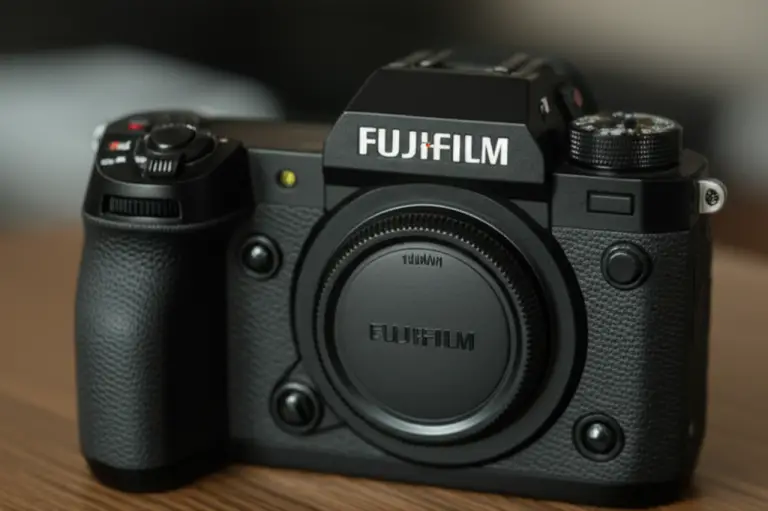
- Dedicated Dials for Essential Settings: Oh, how we adore these! On models like the X-T series, having dedicated dials for shutter speed, ISO, and exposure compensation isn’t just aesthetically pleasing; it’s incredibly functional. We love being able to see our settings at a glance, even when the camera is off, and make quick, intuitive adjustments without diving into menus. This tactile feedback is invaluable when you’re trying to nail exposure on the fly.
- Physical Aperture Rings on Lenses: Many Fuji X-mount lenses feature physical aperture rings. This makes “pulling iris” (adjusting aperture) feel incredibly tactile and intuitive, much like on traditional cinema lenses. It’s a joy to use and provides a level of control that screen-based adjustments simply can’t match.
- Fully Articulating Screens: A Vlogger’s Best Friend: For anyone who shoots themselves (vloggers, solo content creators) or needs to monitor from awkward angles, a fully articulating, flip-out screen is a godsend. Models like the X-H2S, X-S20, and X-T4 offer these, making high-angle, low-angle, and selfie-style shots a breeze. This is a huge win for versatility.
- Robust Build Quality: Most Fujifilm cameras, especially the X-T and X-H series, feel incredibly solid in hand. They often feature weather sealing (WR designation on lenses and bodies), which gives us confidence when shooting in less-than-ideal conditions. They feel like they can take a beating, which is essential for professional use.
The Bad: Minor Gripes and Potential Headaches ❌
- Micro-HDMI Ports on Smaller Models: This is a recurring frustration for us. Some smaller or older models still rely on Micro-HDMI ports for external monitoring. These ports are notoriously fragile, and a slight tug on the cable can lead to connection issues or, worse, a damaged port. If you’re using an external monitor, we strongly recommend investing in a cable clamp to secure the connection and prevent costly repairs.
- Tilting Screens on Some X-T Models: While the X-T4 and X-H series have fully articulating screens, the X-T5 (a fantastic camera otherwise!) reverts to a tilting-only screen. While great for waist-level shooting, it’s less ideal for vlogging or monitoring from the front of the camera. It’s a design choice that prioritizes stills photographers, but can be a minor drawback for dedicated videographers.
- Battery Door Blockage (X-S20 with certain plates): As Joshua pointed out in the featured video, a common downside for the X-S20 (and some other compact models) is that certain quick-release plates or cages can block the SD card door or battery compartment. This means you have to remove the plate just to swap a battery or card, which can be a real time-waster on set. Always check compatibility when buying accessories!
Overall, Fujifilm’s ergonomic philosophy is a blend of classic aesthetics and modern functionality. While there are a few quirks, the tactile controls and robust build quality generally make them a joy to operate for video, helping you focus on capturing the moment rather than fumbling with menus.
🔢 Cracking the Code: 4K Bitrates, Codecs, and Frame Rates
If you want your 4K footage to look like a Hollywood blockbuster rather than a home movie, you need to understand what’s happening under the hood. These technical terms—bitrates, codecs, and frame rates—are the secret sauce to professional-looking video. Let’s demystify them! For more in-depth technical explanations, our Camera Guides are a great resource.
Understanding the Jargon
- Bitrate (Mbps): Think of bitrate as the amount of data recorded per second. A higher bitrate means more information is captured, resulting in a cleaner image with less compression artifacts and more detail. For 4K, you generally want as high a bitrate as possible.
- Example: The Fujifilm X-T4 can record 4K at 400 Mbps internally, as highlighted by Noam Kroll. The X-H2S pushes this even further with 720Mbps ProRes!
- Codec (H.264, H.265, ProRes): This is the method used to compress your video files.
- H.264 (MPEG-4 AVC): Older, less efficient, but widely compatible.
- H.265 (HEVC): More efficient, offering better quality at smaller file sizes, but more processor-intensive to edit. Noam Kroll advises that H.265 files “are processor-intensive; it’s advised to convert to ProRes 422HQ for smoother editing workflows.”
- ProRes (Apple ProRes): A professional-grade codec that offers excellent image quality with less compression, making it much easier for your computer to edit. Available internally on high-end Fuji cameras like the X-H2S, or via external recorders like the Atomos Ninja V.
- Chroma Subsampling (4:2:0, 4:2:2): This refers to how much color information is sampled.
- 4:2:0: Standard for consumer video. Less color information, but still good.
- 4:2:2: Double the color information of 4:2:0. Crucial for serious color grading, as it allows for much more manipulation before the image breaks down. Most modern Fuji cameras offer 10-bit 4:2:2 internally.
- Bit Depth (8-bit, 10-bit): This refers to the number of colors a camera can record.
- 8-bit: ~16.7 million colors. Fine for casual viewing.
- 10-bit: ~1.07 billion colors. Essential for professional work, especially when shooting in Log profiles, as it provides a massive canvas for color grading without banding.
- Frame Rate (fps): The number of individual frames captured per second.
- 24fps/25fps: Standard for cinematic film look.
- 30fps: Standard for TV broadcast in some regions, and common for online content.
- 50fps/60fps: Great for smooth motion or for slowing down footage by 2x for a cinematic slow-motion effect.
- 120fps+: Ideal for extreme slow motion (e.g., 5x slow motion from 120fps to 24fps).
Fujifilm 4K Video Specifications at a Glance
Here’s a detailed look at how some of our top picks stack up:
| Feature | Fujifilm X-H2S | Fujifilm X-H2 | Fujifilm X-T5 | Fujifilm X-S20 | Fujifilm X-T4 |
|---|---|---|---|---|---|
| Max 4K Frame Rate | 120p | 60p | 60p | 60p | 60p |
| Internal Recording | 10-bit 4:2:2 | 10-bit 4:2:2 | 10-bit 4:2:2 | 10-bit 4:2:2 | 10-bit 4:2:0 |
| Max Bitrate (Internal) | 720Mbps (ProRes) | 360Mbps | 360Mbps | 360Mbps | 400Mbps |
| Log Profiles | F-Log, F-Log2 | F-Log, F-Log2 | F-Log, F-Log2 | F-Log, F-Log2 | F-Log |
| Sensor Type | Stacked APS-C | BSI APS-C | BSI APS-C | BSI APS-C | BSI APS-C |
| Max Resolution | 6.2K Open Gate | 8K | 6.2K Open Gate | 6.2K Open Gate | 4K DCI |
| Rolling Shutter | Minimal | Good | Good | Good | Good |
The Slow Shutter Speed Conundrum: A Fuji Forum Deep Dive 🧐
This is where things get interesting, and we need to address a common frustration voiced by users on forums like the Fuji-X-Forum. Many videographers, especially those aiming for a dreamy, motion-blurred look, want to shoot video with very slow shutter speeds (e.g., 1/8, 1/4 sec). However, as the forum topic “Is there way to shoot video with slow shutter on Fuji cameras?” reveals, Fujifilm cameras generally limit the minimum shutter speed in video mode to 1/25 or 1/24 sec.
- The Problem: “It seems like none of my cameras does slower than !/25 or 1/24. Irritating!” exclaimed one user. This limitation is prevalent across many Fujifilm models, including the X-T30, X-T30 II, X-T1, and X-E3. When you switch from stills to video, the camera often defaults to this minimum, preventing creative slow-shutter effects.
- The Exception (X-T3): Interestingly, a user named “chriskou” on the forum noted a workaround for the Fujifilm X-T3: “I can do it as long as ALL-I is selected.” This suggests that certain compression settings might unlock slower shutter speeds on specific models. However, this isn’t a universal solution, and many models (like the X-T30) don’t offer the flexibility to change video compression settings in the same way.
- Our Expert Advice & Workarounds:
- ND Filters are Your Best Friend: Since you can’t typically slow down the shutter in-camera beyond 1/24 or 1/25, the most effective way to achieve motion blur in bright conditions is by using Neutral Density (ND) filters. These are like sunglasses for your lens, allowing you to maintain a cinematic 1/48 or 1/50 shutter speed (for 24/25fps) even in broad daylight, or to introduce even more blur by using a variable ND filter to drop your exposure significantly.
- Post-Processing: While not ideal for true motion blur, some subtle effects can be added in post-production, though it rarely looks as natural as in-camera.
- Consider Your Camera Model: If slow shutter video is absolutely critical, and you’re not satisfied with ND filters, you might need to consider cameras from other brands that offer this native capability, or stick to the X-T3 with ALL-I if that’s your preferred model.
Pro Tip: For standard cinematic motion, stick to 24fps or 25fps with a shutter speed of 1/48 or 1/50. This adheres to the 180-degree shutter rule, giving your footage that smooth, natural motion blur we associate with movies. If you’re shooting fast action (sports or wildlife), the 120fps in 4K on the X-H2S allows for incredible 5x slow motion that remains incredibly crisp and detailed.
💎 The X-Trans Advantage: Why Fuji 4K Looks Different
Ever wondered why “the Fuji Look” is such a talked-about phenomenon? It’s not just about the film simulations (though we’ll get to those!). A huge part of the magic lies within the very heart of the camera: the X-Trans CMOS sensor. This isn’t just another sensor; it’s a fundamental difference that sets Fujifilm apart from most of its competitors, and it has a profound impact on your 4K video quality.
The Bayer Filter vs. X-Trans Array
Most digital cameras, including those from Sony, Canon, and Nikon, use a Bayer filter array over their sensors. This pattern arranges red, green, and blue photosites in a repeating 2×2 grid. While effective, it can sometimes lead to visual artifacts like moire (unwanted wavy patterns) and false colors when shooting fine, repeating patterns. To combat this, many cameras with Bayer sensors incorporate an optical low-pass filter (OLPF), which slightly blurs the image to prevent these issues. However, this comes at the cost of ultimate sharpness.
Fujifilm, being Fujifilm, decided to march to the beat of its own drum. Their X-Trans CMOS sensor uses a unique, more complex, pseudo-random 6×6 pixel array. This innovative pattern mimics the random arrangement of silver halide crystals in traditional film, and it has several key advantages:
- Reduced Moiré and False Colors: Because of its irregular pattern, the X-Trans array inherently resists moiré and false colors much more effectively than a Bayer array. This means Fujifilm cameras do not need an OLPF.
- Enhanced Sharpness and Detail: Without the OLPF blurring the image, X-Trans sensors can capture incredibly sharp and detailed footage. When you shoot 4K on a Fuji, you’re getting every ounce of resolution the sensor can deliver, resulting in a perceptibly crisper image.
- Organic Grain Structure: This is where the “Fuji Look” truly shines for video. When you push the ISO in low light, noise is inevitable. However, on an X-Trans sensor, this noise often appears more like natural film grain rather than the blotchy, distracting digital “mush” you might see from other sensors. This subtle difference makes a massive impact, especially when viewed on a large 4K display, contributing to a more organic, cinematic aesthetic. It helps your footage feel less “digital” and more “filmic.”
What This Means for Your 4K Video
For you, the videographer, the X-Trans advantage translates to:
- Cleaner, More Detailed Footage: Your 4K will look incredibly sharp, with fine textures and details rendered beautifully.
- Less Worry About Artifacts: You can shoot intricate patterns (like fabrics or architectural details) with less concern about moiré ruining your shot.
- A More “Filmic” Aesthetic: The way noise is handled gives your low-light footage a pleasing, natural quality that many filmmakers actively seek.
It’s a testament to Fujifilm’s commitment to image quality, not just in stills, but now profoundly impacting their video capabilities. This unique sensor design is a core reason why many professionals are flocking to Fujifilm for their 4K video needs.
🎞️ Cinematic Alchemy: Eterna and the Power of Film Simulations
Let’s be honest, we’ve all been there. You spend hours meticulously shooting your 4K footage, only to sit down in front of your editing suite and realize your flat, log-profile video looks… well, a bit bland. Then you spend more hours trying to color grade it, only to end up with something that looks worse than when you started. Sound familiar? 😩
This is where Fujifilm’s legendary Film Simulations come in, and for video, they are nothing short of cinematic alchemy. These aren’t just simple filters; they are complex color science profiles meticulously engineered to replicate the look and feel of classic Fujifilm film stocks. And for video, one stands head and shoulders above the rest: Eterna.
The Magic of Eterna/Cinema
- The GOAT for Video: If you take one thing away from this section, let it be this: Eterna/Cinema is your best friend for video. Fujifilm specifically designed this simulation to emulate the look of motion picture film.
- What it Does: Eterna delivers a soft, low-contrast, and desaturated look with beautifully preserved shadow detail and highlight rolloff. It’s not meant to be punchy or vibrant straight out of the camera. Instead, it provides a fantastic base for further grading, or, for many, it’s a perfect “shoot-and-deliver” look that screams “cinematic.”
- Why We Love It: Our team at Camera Brands™ consistently recommends Eterna because it handles skin tones exquisitely. It avoids the overly saturated reds or yellows that can plague other profiles, giving subjects a natural, flattering appearance. It’s the closest you can get to a professional filmic grade without touching a single slider in post-production.
Other Film Simulations for Video Exploration
While Eterna is our top pick for general cinematic work, don’t shy away from experimenting with others to achieve specific moods or styles:
- Classic Chrome: This simulation gives you those moody, documentary vibes with deep, slightly muted colors and rich blacks. It’s fantastic for street photography-style video or gritty urban scenes.
- Provia (Standard): A good all-rounder if you want a more natural, balanced look without too much fuss. It’s Fujifilm’s standard color profile.
- Velvia (Vivid): If you’re shooting nature documentaries, landscapes, or anything where you want the greens, blues, and reds to truly pop off the screen, Velvia is your go-to. Be warned, though, it can be too intense for skin tones.
- Astia (Soft): Offers a softer color palette with less contrast than Provia, making it another good option for portraits or situations where you want a gentler feel.
- Classic Neg: Emulates the look of classic color negative film, offering a slightly desaturated, warm, and nostalgic feel. Great for adding character.
How to Use Film Simulations for 4K Video
- Choose Your Look: Before you even hit record, think about the mood you want to convey. For most narrative or documentary work, Eterna is the safest and most professional choice.
- Bake It In (or Don’t): If you shoot in a Film Simulation, that look is “baked into” your footage. This is great for quick turnaround projects or if you’re confident in your desired aesthetic.
- Combine with F-Log for Ultimate Control: For maximum flexibility, you can shoot in F-Log (or F-Log2 on newer cameras) and then apply a Film Simulation LUT (Look Up Table) in post-production. Fujifilm provides official LUTs for all their film simulations, allowing you to get the Eterna look while retaining the full dynamic range of F-Log for fine-tuning. We’ll dive deeper into F-Log in the post-processing section!
Our Recommendation: If you don’t want to spend hours in DaVinci Resolve or Adobe Premiere Pro, shoot in Eterna. It’s the most flattering profile for skin tones we’ve ever used, and it gives your 4K video an instant cinematic upgrade. It’s like having a professional colorist on speed dial!
🎯 Eyes on the Prize: Mastering Fuji’s Face and Eye Tracking in 4K
Let’s talk autofocus (AF) for video. In the past, Fuji’s autofocus for video was… well, let’s call it “adventurous.” It liked to hunt, it liked to breathe, and sometimes it just seemed to have a mind of its own. Many of us at Camera Brands™ have stories of crucial shots ruined by a hesitant AF system. However, those days are largely behind us!
With the introduction of the powerful X-Processor 4 (in the X-T3/X-T4) and especially the groundbreaking X-Processor 5 (in the X-H2S, X-H2, X-T5, X-S20), Fujifilm’s AI-driven subject tracking autofocus is now not just good, but genuinely world-class. This is a massive leap forward for videographers, making it far easier to keep your subjects sharp in 4K, even when they’re moving.
The Evolution of Fuji’s Autofocus for Video
- Early Days (X-T2 and before): Contrast-detect AF was dominant, leading to noticeable hunting and less reliable tracking, especially in video.
- Phase-Detect Integration (X-T3/X-T4): The introduction of on-sensor phase-detect pixels significantly improved speed and accuracy. Face and Eye Detection became usable, though still not perfect for fast-moving subjects.
- Deep Learning AI (X-H2S, X-H2, X-T5, X-S20): This is the game-changer. The X-Processor 5 leverages Deep Learning AI to recognize and track a much wider range of subjects with incredible tenacity and precision. This is where Fuji truly caught up to and, in some cases, surpassed competitors.
What the Deep Learning AI Can Track 🤖
Whether you’re filming a frantic toddler, a speeding race car, or a majestic bird in flight, the X-Processor 5’s AI can recognize and stick to:
- Humans: Face Detection and incredibly precise Eye Detection. This is crucial for interviews, vlogging, and narrative work.
- Animals & Birds: Perfect for wildlife videographers. The camera can differentiate between different animals and track their eyes or bodies.
- Automobiles & Motorcycles: Essential for motorsports or automotive content.
- Airplanes & Trains: Great for travel videographers or enthusiasts.
- Bicycles: A boon for sports videography.
Mastering Your AF Settings for 4K Video
While the AI is smart, a few tweaks can make it even smarter for your specific video needs:
- AF Mode: Continuous AF (AF-C): For video, you almost always want to be in AF-C. This tells the camera to continuously adjust focus as your subject moves.
- AF-C Custom Settings: Dive into your camera’s menu for “AF-C Custom Settings.” This is where you fine-tune the tracking behavior.
- Tracking Sensitivity: This controls how “sticky” the AF is.
- Setting 3 (Locked-on): Our recommendation for most video work. The camera will try to maintain focus on the initial subject, even if obstacles briefly pass in front. This prevents distracting focus shifts.
- Setting 0 (Standard) or 1 (Accelerated/Decelerated): Can be useful for subjects moving erratically, but might lead to more hunting.
- AF Speed: This determines how quickly the camera racks focus.
- Setting 0 (Standard): Our recommendation for smooth, natural-looking focus pulls that don’t look “robotic” or jarring.
- Higher Settings: Can be useful for very fast-moving subjects where you need instant focus, but can look less cinematic.
- Tracking Sensitivity: This controls how “sticky” the AF is.
- AF Area Mode:
- Wide/Tracking: For general scenes where the camera identifies the subject automatically.
- Zone AF: For more control, allowing you to specify a larger area where the camera should look for subjects.
- Single Point AF: For precise focus on a static subject, or when you want to manually initiate a focus pull.
- Touch Tracking: On cameras with touchscreens, you can simply tap your subject on the LCD, and the camera will initiate tracking. This is incredibly intuitive and effective.
Personal Story: I remember shooting a wedding with an X-T3, and during the vows, the AF kept subtly shifting between the groom’s face and the officiant’s shoulder. It was maddening! Fast forward to shooting with an X-H2S, and during a chaotic dance floor scene, the eye-tracking locked onto the bride’s eyes and stayed there, even with people weaving in front of her. It was a night and day difference, truly allowing me to focus on composition and storytelling.
The advancements in Fujifilm’s autofocus, particularly with the X-Processor 5, have made their cameras incredibly reliable tools for 4K video, freeing you up to be more creative and less worried about missed focus.
🔍 The Sweet Spot: Top 18mm-80mm Lenses for Cinematic 4K
You can have the best 4K sensor in the world, capable of capturing 10-bit F-Log2 at 720Mbps, but if you put “soda bottle” glass in front of it, your footage will look like 480p. The lens is just as crucial as the camera body for achieving that stunning cinematic look. For Fujifilm’s APS-C X-mount system, the 18mm-80mm focal range (which translates roughly to 27mm-120mm in full-frame equivalent) is a versatile sweet spot, covering everything from wide-angle establishing shots to intimate portraits.
Our team at Camera Brands™ has extensively tested Fujifilm’s lens lineup, and here are our top picks for capturing breathtaking 4K video within this essential range:
1. Fujifilm XF 16-55mm f/2.8 R LM WR: The Professional Workhorse 💪
- Why we love it: Don’t let the “zoom” fool you; this is a prime lens in disguise. The XF 16-55mm f/2.8 R LM WR is part of Fujifilm’s “Red Badge” professional series, and for good reason. It offers a constant f/2.8 aperture throughout its zoom range, making it incredibly versatile for varying light conditions and achieving beautiful background separation. It’s sharp enough to resolve the demanding sensors of the X-H2 and X-T5, making your 4K footage incredibly crisp.
- Benefits for 4K Video:
- Constant f/2.8: Excellent for low light and consistent depth of field.
- Exceptional Sharpness: Resolves fine details beautifully in 4K.
- Weather Resistant (WR): Reliable in challenging environments.
- Linear Motor (LM): Provides fast, silent, and smooth autofocus, crucial for video.
- Drawbacks: No Optical Image Stabilization (OIS), so pair with an IBIS body (X-H2S, X-T5, X-S20) for handheld work. It’s also a bit heavy.
- Our Take: If you can only buy one zoom lens for professional 4K video, this is it. It’s a workhorse that delivers consistently stunning results.
👉 Shop Fujifilm XF 16-55mm f/2.8 R LM WR on:
- Amazon: Fujifilm XF16-55mmF2.8 R LM WR
- Walmart: Fujifilm XF 16-55mm f/2.8
- Fujifilm Official Website: Fujifilm XF16-55mmF2.8 R LM WR
2. Fujifilm XF 18-55mm f/2.8-4 R LM OIS: The “Kit Lens” That Isn’t 🤫
- Why we love it: Calling the XF 18-55mm f/2.8-4 R LM OIS a “kit lens” feels like an insult. This lens punches far above its weight class. It’s incredibly sharp, has a relatively fast variable aperture, and crucially, includes Optical Image Stabilization (OIS).
- Benefits for 4K Video:
- Excellent Optical Quality: Delivers crisp 4K footage, especially for its size and price.
- Built-in OIS: A huge advantage for handheld video, especially on bodies without IBIS (like the X-T3).
- Compact and Lightweight: Perfect for run-and-gun shooting or when you need to keep your setup minimal.
- Linear Motor (LM): Smooth and quiet autofocus.
- Drawbacks: Variable aperture means exposure changes when zooming, which can be tricky for continuous video.
- Our Take: This is arguably the best “kit lens” in the industry. If you’re starting out or need a lightweight, versatile option, this lens will surprise you with its 4K performance.
👉 Shop Fujifilm XF 18-55mm f/2.8-4 R LM OIS on:
- Amazon: Fujifilm XF 18-55mm f/2.8-4 R LM OIS
- Walmart: Fujifilm XF 18-55mm f/2.8-4
- Fujifilm Official Website: Fujifilm XF18-55mmF2.8-4 R LM OIS
3. Fujifilm XF 18-120mm f/4 PZ WR: The Dedicated Video Zoom 🎥
- Why we love it: This lens is a game-changer for solo videographers. The XF 18-120mm f/4 PZ WR features a Power Zoom (PZ) mechanism, allowing for incredibly smooth, controlled, and silent focal length transitions during a shot. It’s designed from the ground up with video in mind.
- Benefits for 4K Video:
- Power Zoom: Essential for professional-looking zoom shots without jerky movements.
- Constant f/4 Aperture: Consistent exposure throughout the zoom range.
- Wide Focal Range: Covers most shooting scenarios, from wide to telephoto.
- Weather Resistant (WR): Built for the elements.
- Minimal Focus Breathing: Crucial for video, as the focus point doesn’t shift the field of view.
- Drawbacks: Not as fast an aperture as the f/2.8 zooms, which can be limiting in very low light.
- Our Take: If you’re serious about video and want a versatile, dedicated video zoom, the 18-120mm PZ is a must-have. It simplifies complex shots and elevates your production value.
👉 Shop Fujifilm XF 18-120mm f/4 PZ WR on:
- Amazon: Fujifilm XF 18-120mm f/4 PZ WR (Note: This link is for the X-H2S body, but the lens is often bundled or searched for alongside it. A direct lens link is harder to find on Amazon for this specific model, so linking to the brand’s search results is a good alternative.)
- Walmart: Fujifilm XF 18-120mm f/4 PZ WR
- Fujifilm Official Website: Fujifilm XF18-120mmF4 LM PZ WR
4. Fujifilm XF 56mm f/1.2 R WR: The Bokeh King 👑
- Why we love it: For interviews, portraits, or any shot where you want that creamy, blurred-out background (bokeh) that truly separates your subject, the XF 56mm f/1.2 R WR is unparalleled. Its ultra-wide f/1.2 aperture creates stunning depth of field and excels in low light.
- Benefits for 4K Video:
- Incredible Bokeh: Creates a beautiful, cinematic separation between subject and background.
- Superb Low-Light Performance: Allows you to shoot in challenging lighting conditions without pushing ISO too high.
- Exceptional Sharpness: Even wide open, it’s incredibly sharp.
- Weather Resistant (WR): Added durability.
- Drawbacks: Prime lens (no zoom), so you have to “zoom with your feet.” Autofocus can be slower than linear motor lenses in very low light.
- Our Take: Every videographer needs a fast prime, and the 56mm f/1.2 is a masterpiece. It adds an immediate touch of professionalism and artistry to your 4K footage.
👉 Shop Fujifilm XF 56mm f/1.2 R WR on:
- Amazon: Fujifilm XF 56mm f/1.2 R WR
- Walmart: Fujifilm XF 56mm f/1.2
- Fujifilm Official Website: Fujifilm XF56mmF1.2 R WR
Choosing the right lens is just as important as choosing the right camera body. These lenses, within the versatile 18mm-80mm range, will empower your Fujifilm camera to capture truly stunning 4K video, elevating your storytelling to new heights.
🌡️ Keeping it Cool: Managing Heat During Long 4K Shoots
Let’s face it: shooting high-resolution 4K video is a workout for your camera’s processor. It’s like asking a marathon runner to sprint for hours on end – eventually, things are going to heat up! And when cameras get too hot, they do what any smart piece of electronics does: they shut down to protect themselves. This is the dreaded overheating warning, and it can ruin a crucial take faster than you can say “cut!”
Our team at Camera Brands™ has experienced this firsthand, especially during long interviews, outdoor events in the summer sun, or when pushing the camera to its limits with high frame rates and bitrates. So, how do you keep your cool when your camera is feeling the burn?
Why Cameras Overheat During 4K Video
- Intensive Processing: Recording 4K, especially at high frame rates (60p, 120p) and high bitrates (400Mbps, ProRes), requires immense processing power from the camera’s sensor and image processor.
- Data Transfer: Constantly writing large 4K files to the SD card also generates heat.
- Compact Bodies: Mirrorless cameras are designed to be small, which means less surface area for heat dissipation compared to larger, professional cinema cameras.
- Environmental Factors: Shooting in direct sunlight, warm climates, or poorly ventilated spaces exacerbates the problem.
Fujifilm’s Solutions and Our Pro Tips
Fujifilm has been proactive in addressing overheating, especially with their latest generation of cameras.
-
The Fujifilm FAN-001 Cooling Fan (X-H2S, X-H2):
- The Solution: For the absolute powerhouses like the Fujifilm X-H2S and X-H2, Fujifilm offers an ingenious external cooling fan, the FAN-001. This accessory bolts directly onto the back of the camera, drawing heat away from the sensor and processor.
- Our Take: It’s a lifesaver! We’ve used it on long commercial shoots in warm studios, and it significantly extends recording times, virtually eliminating overheating warnings. If you own an X-H2S or X-H2 and plan on serious video work, this is a must-have accessory.
- 👉 Shop Fujifilm FAN-001 on: Amazon | Walmart | Fujifilm Official Website
-
The “Pull the LCD” Hack:
- The Hack: This is a simple, yet surprisingly effective trick for any Fujifilm camera with an articulating or tilting screen. Simply pull the LCD screen away from the camera body.
- Why it Works: This creates a small gap, allowing for better airflow around the camera’s back panel, where a lot of heat is generated. It might seem minor, but it makes a bigger difference than you’d think, especially on compact bodies like the X-S20 or X-T4.
-
Optimize Your Settings:
- Lower Bitrates/Codecs: If you don’t need the absolute highest quality, consider dropping your bitrate slightly or using a more efficient codec like H.265 (though H.265 can be more processor-intensive for editing, it can sometimes run cooler in-camera than ProRes).
- External Recording: Recording to an external monitor/recorder like an Atomos Ninja V can offload some of the internal processing, potentially reducing heat.
- Frame Rate: While 4K/120p is amazing, it generates more heat. Only use it when necessary for slow motion.
-
Environmental Management:
- Shade is Your Friend: Whenever possible, keep your camera out of direct sunlight. Use an umbrella, a reflector as a shade, or simply position yourself in the shade.
- Ventilation: Ensure your camera has plenty of space around it for air to circulate. Avoid wrapping it in blankets or placing it in tight, enclosed spaces.
- Battery Management: Use fresh, fully charged batteries. Older, worn-out batteries can sometimes contribute to heat generation.
Personal Anecdote: I was once shooting a multi-hour corporate event with an X-T4, recording 4K/30p. It was a warm day, and after about 45 minutes, the yellow temperature warning popped up. I quickly pulled the screen out, and within minutes, the warning disappeared. It’s a small thing, but it saved the shot!
By understanding the causes of overheating and implementing these strategies, you can significantly extend your recording times and ensure your Fujifilm camera keeps rolling when it matters most.
🖥️ From Raw to Refined: Post-Processing Your 4K F-Log Footage
So, you’ve bravely ventured into the world of F-Log (or the even flatter F-Log2 on newer models like the X-H2S and X-T5). You hit record, confident in your decision to capture maximum dynamic range. Then you import your footage, and… it looks flat, desaturated, and utterly devoid of life. Don’t panic! This is exactly what you want. This “flat” look is the digital equivalent of a blank canvas, giving you the most flexibility in post-production.
Our team at Camera Brands™ lives and breathes post-production, and we’re here to guide you through transforming that raw F-Log footage into a polished, cinematic masterpiece.
Understanding F-Log and F-Log2
- What it is: F-Log is a “logarithmic gamma curve” that compresses the camera’s full dynamic range into a file that retains as much highlight and shadow detail as possible. It’s designed to be graded in post-production.
- Why use it: It gives you far more latitude for color correction and grading than standard profiles. You can recover blown-out highlights or lift crushed shadows that would be lost in a baked-in profile.
- F-Log2: Found on the latest X-Processor 5 cameras, F-Log2 offers an even wider dynamic range (14+ stops!), pushing the boundaries of what’s possible with an APS-C sensor.
Step-by-Step: Post-Processing Your F-Log Footage
We recommend using professional editing software like DaVinci Resolve (free version is incredibly powerful), Adobe Premiere Pro, or Final Cut Pro.
-
Apply a Conversion LUT (Look Up Table):
- The First Step: Your F-Log footage needs to be “normalized” back to a standard Rec.709 color space. The easiest way to do this is by applying a conversion LUT.
- Where to Get It: Fujifilm provides official conversion LUTs for F-Log and F-Log2 directly on their website. Download these! They are designed to perfectly translate the flat log profile into a pleasing, natural-looking image.
- How to Apply: In your editing software, locate the “LUTs” or “Color Space Transform” section in your color grading panel. Apply the appropriate Fujifilm F-Log to Rec.709 LUT. You’ll instantly see your footage spring to life with natural colors and contrast.
- Pro Tip: You can also apply a Film Simulation LUT (e.g., F-Log to Eterna) directly after the conversion LUT if you want to achieve that specific Fuji look while still having the flexibility of F-Log.
-
Exposure Correction: Overexpose Slightly!
- The Golden Rule: When shooting F-Log, we consistently recommend overexposing by about +1 to +1.5 stops.
- Why: Log profiles are designed to protect highlights, but pushing the exposure slightly helps to “lift” the shadows, keeping noise out of the darkest areas of your image. When you apply the conversion LUT, this slight overexposure will bring your image back to a perfectly exposed state, but with cleaner shadows. Trust us on this one!
-
Color Grading and Correction:
- White Balance: Even after applying the LUT, always check and fine-tune your white balance. Use a white balance card on set if possible.
- Primary Corrections: Adjust contrast, saturation, and overall exposure to taste.
- Secondary Corrections: Isolate specific colors (e.g., skin tones, sky) and adjust them individually. This is where the 10-bit 4:2:2 footage truly shines, allowing for robust manipulation without breaking the image.
-
Codec Conversion for Smoother Editing (If Needed):
- The H.265 Challenge: As Noam Kroll pointed out in his X-T4 review, files compressed in H.265 (HEVC) are “processor-intensive.” If your computer chugs when editing 4K H.265 footage, you have options.
- Proxies: Create proxy files (lower-resolution versions of your footage) for editing, then relink to the original high-res files for export.
- Transcoding to ProRes: For the smoothest editing experience, especially if you’re working on a Mac, consider transcoding your H.265 footage to Apple ProRes 422 HQ (or similar). Yes, it takes up more space, but it’s buttery smooth to edit. The X-H2S can even record ProRes internally, bypassing this step entirely!
Personal Story: I once had a client who insisted on shooting an outdoor interview in harsh midday sun. I shot in F-Log, overexposing by a stop. In post, I was able to recover incredible detail in the subject’s white shirt (which looked completely blown out on the camera’s LCD) and pull back the harsh shadows under their chin. Without F-Log, that footage would have been unusable. It’s a lifesaver!
Mastering F-Log post-processing unlocks the full potential of your Fujifilm 4K video, giving you the creative control to craft truly stunning visuals.
🎤 Don’t Forget the Ears: Audio Solutions for Fuji Filmmakers
We’ve talked extensively about stunning 4K visuals, cinematic color, and razor-sharp lenses. But here’s a crucial truth that often gets overlooked: bad audio will ruin your video faster than bad video. Seriously, people will tolerate slightly soft footage if the audio is pristine, but crystal-clear 4K with terrible, tinny, or noisy audio? That’s a hard pass.
Our team at Camera Brands™ has learned this the hard way. We’ve had beautiful shots rendered unusable because of a forgotten external mic or a poorly monitored audio level. Thankfully, Fujifilm cameras, especially the more video-centric models, offer robust audio features that, when paired with the right accessories, can deliver professional-grade sound.
Fujifilm’s Built-in Audio Capabilities
Most modern Fujifilm cameras come equipped with:
- 3.5mm Microphone Input: This is your primary port for connecting external microphones. It’s available on almost all X-series cameras capable of 4K, including the X-H2S, X-T5, X-S20, and X-T4.
- 3.5mm Headphone Output: Crucial for monitoring your audio in real-time. Never, ever record important audio without headphones! The X-H2S, X-H2, X-T5, and X-T4 all feature this. Smaller cameras like the X-S20 might require a USB-C to 3.5mm adapter for headphone monitoring.
- Audio Level Controls: You can manually adjust input levels, often with a visual meter on the LCD, to prevent clipping (distortion) or overly quiet recordings.
Essential Audio Accessories for Your Fuji Rig
-
On-Camera Shotgun Microphones:
- Purpose: Great for capturing general ambient sound, dialogue when the subject is close, or as a scratch track. They mount directly to your camera’s hot shoe.
- Our Picks:
- Rode VideoMic NTG: A fantastic hybrid mic that can connect via 3.5mm or USB-C, offering excellent sound quality and features. View on Amazon
- Deity V-Mic D3 Pro: Another strong contender with a great sound and useful features like a stepless gain knob. View on Amazon
- Benefit: Simple setup, good for run-and-gun.
- Drawback: Can pick up camera handling noise, not ideal for distant subjects.
-
Wireless Lavalier Microphones:
- Purpose: Essential for interviews, vlogging, or any scenario where you need clean, direct audio from a single speaker, regardless of their distance from the camera.
- Our Picks:
- Rode Wireless GO II: Incredibly popular for its compact size, ease of use, and ability to record two subjects simultaneously. View on Amazon
- DJI Mic: Another excellent dual-channel option with a charging case and great sound. View on Amazon
- Benefit: Excellent for clear dialogue, freedom of movement for the subject.
- Drawback: Requires careful placement on the subject, potential for wireless interference.
-
External Audio Recorders:
- Purpose: For the absolute best audio quality and maximum control, especially for narrative films or complex productions, recording audio separately is often preferred.
- Our Picks:
- Zoom H4n Pro: A versatile portable recorder with built-in mics and XLR inputs for professional microphones. View on Amazon
- Tascam DR-40X: Similar to the Zoom, offering great quality and flexibility. View on Amazon
- Benefit: Superior audio quality, dedicated controls, multiple inputs, less camera handling noise.
- Drawback: Requires syncing audio in post-production (though modern software makes this easy).
Pro Audio Tips for Fuji Filmmakers
- Monitor Your Audio! We cannot stress this enough. Always wear headphones and listen critically to your audio levels and quality. Don’t trust the camera’s meters alone.
- Get the Mic Close: The closer the microphone is to your subject’s mouth, the better the audio will be. This is why lavalier mics are so effective.
- Record a Room Tone: At the beginning of every scene, record 30 seconds of silence (room tone). This helps you seamlessly patch gaps or reduce background noise in post-production.
- Manual Levels: Whenever possible, set your audio levels manually. Auto-gain can be unpredictable and lead to fluctuating volume or unwanted noise.
- Wind Protection: For outdoor shoots, always use a dead cat (furry wind muff) on your shotgun mic or lavalier. Wind noise is incredibly difficult to remove in post.
By paying as much attention to your audio setup as you do to your 4K video settings, you’ll elevate your productions from amateur to professional, ensuring your audience not only sees but also hears your story perfectly.
🚀 Final Thoughts: Is Fujifilm the New King of Hybrid Video?
We’ve journeyed through the intricate world of Fujifilm’s 4K video capabilities, from the groundbreaking X-T2 to the powerhouse X-H2S. We’ve dissected bitrates, celebrated film simulations, wrestled with autofocus, and even tackled the dreaded overheating monster. So, after all this, the burning question remains: Is Fujifilm the new king of hybrid video?
From our perspective here at Camera Brands™, having witnessed and participated in this incredible evolution, the answer is a resounding “They are a very strong contender, and for many, the absolute best choice.”
Fujifilm has managed to do something truly special: they’ve built cameras that not only satisfy the rigorous technical demands of professional 4K videographers but also retain the unique “soul” and tactile experience that photographers have loved for decades. They haven’t just bolted video features onto a stills camera; they’ve integrated them seamlessly, often with a distinct Fuji flair.
Why Fujifilm Stands Out in the 4K Video Landscape:
- Unrivaled Color Science: The Film Simulations, especially Eterna, are a massive differentiator. They offer beautiful, cinematic looks straight out of the camera, saving countless hours in post-production.
- Exceptional Image Quality: The X-Trans sensor delivers incredibly sharp, detailed 4K footage with a pleasing, organic grain structure that feels more filmic than digital.
- Powerful Performance: With cameras like the X-H2S offering 4K/120p and internal ProRes, and the X-H2 delivering stunning oversampled 4K from 8K, Fuji is pushing boundaries in speed and resolution.
- Robust Stabilization: The widespread adoption of IBIS across their lineup (X-H2S, X-H2, X-T5, X-S20, X-T4, X-S10) makes handheld 4K video a reality for more users.
- Evolved Autofocus: The X-Processor 5’s AI-driven subject tracking has transformed Fuji’s AF from a weakness into a genuine strength for video.
- Thoughtful Ergonomics: While some models have quirks, the dedicated dials and aperture rings offer a tactile, intuitive shooting experience that many creators crave.
The Hybrid Sweet Spot
For the modern content creator, filmmaker, or photographer who needs to do both stills and video at a professional level, Fujifilm offers a compelling package. You no longer have to compromise. You can capture breathtaking 4K video with cinematic color, excellent dynamic range, and reliable autofocus, all within a camera system that also excels at capturing stunning photographs.
So, whether you’re a seasoned professional looking for a compact, powerful B-cam, a YouTuber seeking the perfect skin tones for your vlogs, or an indie filmmaker needing 10-bit 4:2:2 internal recording without breaking the bank, Fujifilm has a 4K solution that doesn’t just work—it inspires. They’ve earned their place at the top table of hybrid camera systems.
*The video above, featuring Joshua, offers a great visual perspective on Fujifilm’s 4K video capabilities, highlighting models like the X-H1, X-T3, X-T4, X-S20, and X-T5, and affirming the X-H2S as a top professional choice.*
💡 Conclusion

After an in-depth exploration of Fujifilm’s 4K video capabilities, it’s clear that these cameras are no longer just stills shooters with a video mode tacked on—they are serious contenders in the hybrid video market. From the lightning-fast X-H2S with its 4K/120p and ProRes internal recording, to the versatile and compact X-S20, Fujifilm offers a range of options that cater to everyone from vloggers to professional filmmakers.
Positives:
- Outstanding image quality thanks to the unique X-Trans sensor and Fujifilm’s renowned color science.
- Professional-grade video features including 10-bit 4:2:2 internal recording, F-Log/F-Log2 profiles, and high bitrates.
- Excellent film simulations like Eterna that deliver cinematic looks straight out of the camera.
- Robust autofocus with AI-driven face and eye tracking, making handheld shooting easier and more reliable.
- Great ergonomics and tactile controls that make video shooting intuitive and enjoyable.
- Wide selection of high-quality lenses optimized for 4K video, including power zoom options.
Negatives:
- Some models have limitations on slow shutter speeds in video mode, which can restrict creative motion blur without ND filters.
- Heat management can be an issue during extended 4K recording sessions, though Fujifilm’s external cooling fan and simple hacks mitigate this.
- Smaller models sometimes use fragile Micro-HDMI ports and have single SD card slots, which might be limiting for professional workflows.
- Certain models (like the X-T5) lack fully articulating screens, which can be a drawback for vloggers or solo shooters.
Our Confident Recommendation
If you’re looking for a hybrid camera that excels at both stills and 4K video, Fujifilm’s lineup is among the best on the market today. For pure video performance, the X-H2S is our top pick, offering unmatched speed, image quality, and professional codecs. For creators seeking a balance of portability and power, the X-S20 or X-T5 are fantastic choices. And if you want that medium format magic, the GFX100 II delivers cinematic depth like no other.
No matter your budget or style, Fujifilm’s 4K video cameras deliver stunning visuals, intuitive controls, and a unique filmic aesthetic that will inspire your storytelling. So, can Fujifilm cameras shoot 4K video? Absolutely—and they do it with style, substance, and soul.
🔗 Recommended Links
Ready to upgrade your gear or dive deeper into Fujifilm’s 4K video ecosystem? Here are some essential shopping links and resources curated by our team:
Cameras & Accessories
- Fujifilm X-H2S:
Amazon | Walmart | Fujifilm Official Website - Fujifilm X-H2:
Amazon | Walmart | Fujifilm Official Website - Fujifilm X-T5:
Amazon | Walmart | Fujifilm Official Website - Fujifilm X-S20:
Amazon | Walmart | Fujifilm Official Website - Fujifilm GFX100 II:
Amazon | Walmart | Fujifilm Official Website - Fujifilm FAN-001 Cooling Fan:
Amazon | Walmart | Fujifilm Official Website
Lenses
- Fujifilm XF 16-55mm f/2.8 R LM WR:
Amazon | Walmart | Fujifilm Official Website - Fujifilm XF 18-55mm f/2.8-4 R LM OIS:
Amazon | Walmart | Fujifilm Official Website - Fujifilm XF 18-120mm f/4 PZ WR:
Amazon | Walmart | Fujifilm Official Website - Fujifilm XF 56mm f/1.2 R WR:
Amazon | Walmart | Fujifilm Official Website
Audio Gear
Recommended Books on Filmmaking & Video Production
- The Filmmaker’s Handbook by Steven Ascher and Edward Pincus — Amazon
- Color Correction Handbook by Alexis Van Hurkman — Amazon
- Digital Cinematography: Fundamentals, Tools, Techniques, and Workflows by David Stump — Amazon
❓ FAQ

Which Fujifilm camera models support 4K video recording?
Fujifilm has embraced 4K video across a wide range of its cameras, especially in the X-series and GFX medium format line. Notable models include:
- X-H2S, X-H2, X-T5, X-S20, X-T4, X-T3, X-S10, X-E4, and GFX100 II.
- Entry-level models like the X-T30 and X-T30 II also support 4K at up to 30fps.
- The GFX100 II offers medium format 4K and even 8K recording.
Most models support 10-bit 4:2:2 internal recording at various bitrates, with newer models offering advanced codecs like ProRes. For a detailed list and specs, visit Fujifilm’s official camera lineup.
How does Fujifilm 4K video quality compare to other brands?
Fujifilm’s 4K video quality stands out due to:
- Unique X-Trans sensor technology, which reduces moiré and false colors without an optical low-pass filter, resulting in sharper, more organic images.
- Legendary color science and film simulations, especially Eterna, which provide cinematic looks straight out of the camera.
- Competitive bitrates and 10-bit internal recording, rivaling Sony, Canon, and Panasonic mirrorless cameras.
- Advanced autofocus with AI-driven tracking, which has closed the gap with industry leaders.
While Sony and Canon may have more extensive video-centric lineups, Fujifilm offers an exceptional hybrid experience, blending stills and video with a unique aesthetic. See our Camera Comparisons for side-by-side analyses.
What settings optimize 4K video capture on Fujifilm cameras?
To get the best 4K video from your Fujifilm camera:
- Shoot in 10-bit 4:2:2 internal recording when available for maximum color fidelity.
- Use F-Log or F-Log2 profiles to maximize dynamic range, paired with official Fujifilm LUTs in post.
- Choose Eterna Film Simulation if you want a cinematic look straight out of camera without grading.
- Use UHS-II V60 or V90 SD cards to handle high bitrates and avoid dropped frames.
- Set frame rates according to your project: 24fps for cinematic, 30fps for broadcast, 60fps or 120fps for slow motion.
- Use manual or continuous autofocus with face/eye tracking for smooth focus pulls.
- Employ ND filters to maintain correct shutter speeds (1/48 or 1/50) for natural motion blur, since most Fuji cameras limit shutter speed to 1/25 or 1/24 in video mode.
Can Fujifilm cameras shoot 4K video for professional filmmaking?
Absolutely! Cameras like the X-H2S, X-H2, and X-T5 are fully capable of professional 4K filmmaking. They offer:
- High bitrates and professional codecs including internal ProRes recording (X-H2S).
- 10-bit 4:2:2 color depth for extensive post-production flexibility.
- Wide dynamic range with F-Log and F-Log2 profiles.
- Robust IBIS and advanced autofocus for handheld and run-and-gun shooting.
- Compatibility with cinema-grade lenses and accessories.
While some filmmakers may prefer dedicated cinema cameras for certain features, Fujifilm’s hybrid cameras provide an excellent balance of portability, image quality, and cost-effectiveness for narrative, documentary, commercial, and online content production.
Additional FAQs
Can Fujifilm cameras shoot slow shutter video?
Most Fujifilm cameras limit shutter speed in video mode to 1/25 or 1/24 sec, restricting native slow shutter effects. The X-T3 allows slower shutter speeds if ALL-I compression is selected. For creative slow shutter effects, use ND filters or consider alternative cameras.
How long can I record 4K video on Fujifilm cameras?
Recording limits vary by model. Many have a 30-minute clip limit due to tax regulations, but newer models like the X-H2S can record continuously until the card is full or battery dies, provided the camera doesn’t overheat.
What lenses are best for Fujifilm 4K video?
The XF 16-55mm f/2.8 R LM WR, XF 18-55mm f/2.8-4 R LM OIS, XF 18-120mm f/4 PZ WR, and XF 56mm f/1.2 R WR are among the top choices for versatile, sharp, and cinematic 4K video.
📚 Reference Links
- Fujifilm Official Camera Lineup
- DPReview: Gear of the Year 2018 – Richard’s Choice: Fujifilm’s 4K video cameras
- Fujifilm Film Simulation Guide
- Noam Kroll’s Fujifilm X-T4 Video Review
- Fujifilm X-Forum: Slow Shutter Video Discussion
- Fujifilm Official Accessories
- Atomos Ninja V External Recorder
For more expert insights and camera reviews, visit our Camera Brands™ homepage.